We remain fully operational. Our teams are working around the clock to ensure your deliveries continue safely.

下载应用程序






Buy anything from 5,000+ international stores. One checkout price. No surprise fees. Join 2M+ shoppers on Desertcart.
Desertcart purchases this item on your behalf and handles shipping, customs, and support to SINGAPORE.
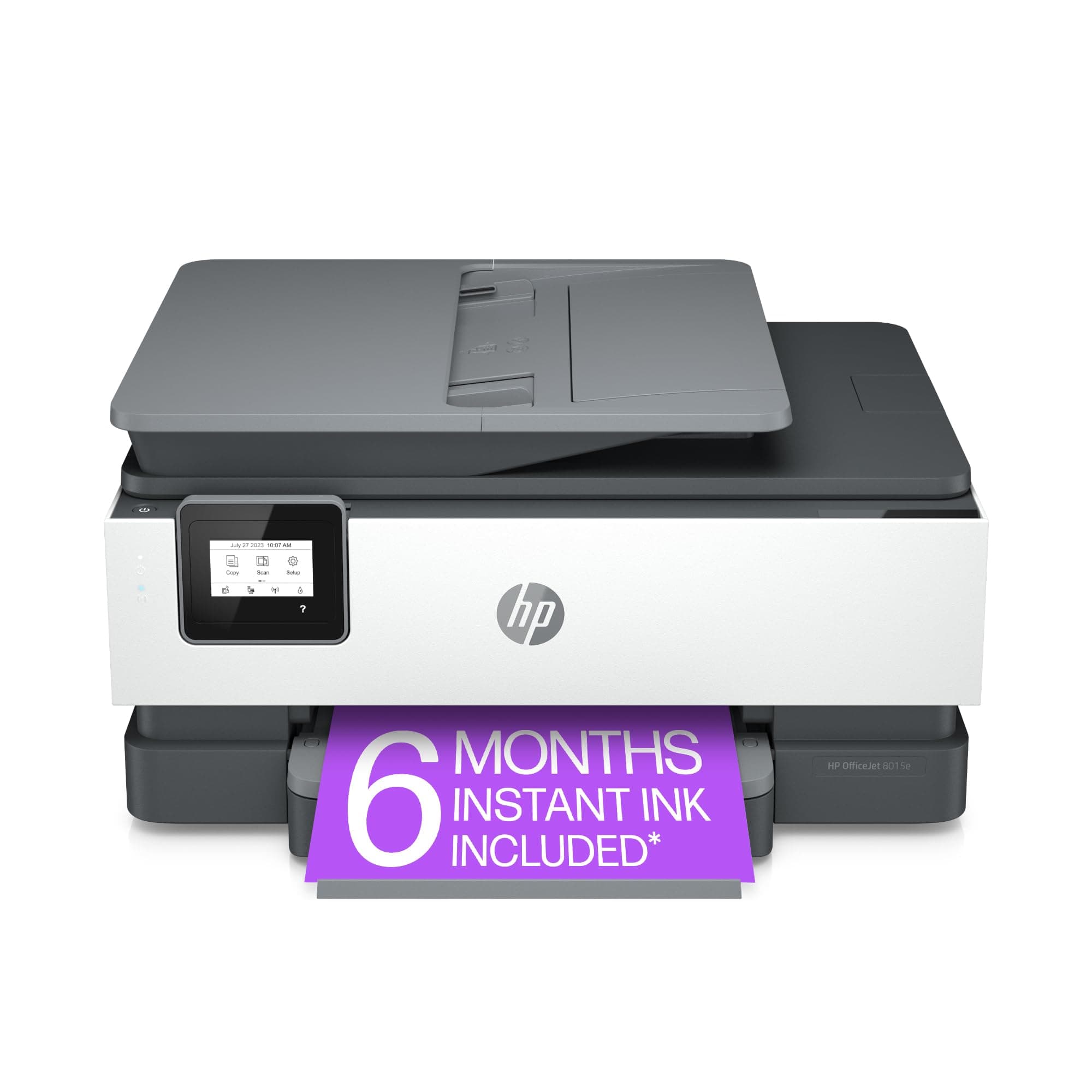
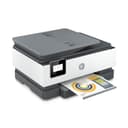
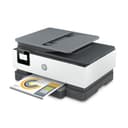
🖨️ Print smarter, faster, and worry-free with HP OfficeJet 8015e — your office’s new MVP!
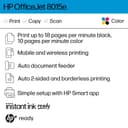
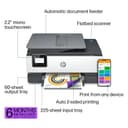
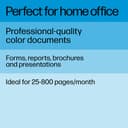
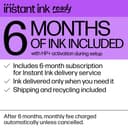
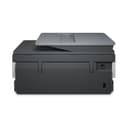
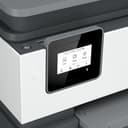
The HP OfficeJet 8015e is a wireless all-in-one inkjet printer designed for small businesses and home offices. It delivers fast print speeds of up to 18 ppm in black and 10 ppm in color, supports duplex printing, and features a 35-page auto document feeder. With HP+ smart features, it offers mobile printing, enhanced security, and automatic updates. The printer includes a 6-month Instant Ink trial for hassle-free ink delivery, a capacitive touchscreen for easy control, and dual-band self-healing Wi-Fi for reliable connectivity.


| ASIN | B08XW7LT9P |
| Additional Printer Functions | Copy, Fax, Scan |
| B&W Pages per Minute | 18 ppm |
| Best Sellers Rank | #12,886 in Office Products ( See Top 100 in Office Products ) #48 in Inkjet Computer Printers |
| Brand | HP |
| Built-In Media | HP 910 Setup Cyan Ink Cartridge, HP 910 Setup Magenta Ink Cartridge, HP 910 Setup Yellow Ink Cartridge, HP OfficeJet 8015e All-in-One Printer, Inkjet Cartridges |
| Color | White |
| Color Depth | 36 bpp |
| Color Pages per Minute | 10 ppm |
| Compatible Cartridge | HP 910 Black Original Ink Cartridge, HP 910 Cyan Original Ink Cartridge 3YL58N, HP 910 Magenta Original Ink Cartridge 3YL59A, HP 910 Yellow Original Ink Cartridge 3YL60A, HP 910XL Black Original Ink Cartridge, HP 910XL Cyan Original Ink Cartridge 3YL62A, HP 910XL Magenta Original Ink Cartridge 3YL63A; HP 910XL Yellow Original Ink Cartridge 3YL64A |
| Compatible Devices | PC |
| Control Method | Touch |
| Controller Type | iOS |
| Customer Reviews | 4.0 4.0 out of 5 stars (12,094) |
| Display Type | Capacitive Touchscreen MGD |
| Dual-sided printing | Yes |
| Duplex | Automatic |
| Hardware Interface | USB |
| Initial Page Print Time | 13 Seconds |
| Ink Color | black, cyan, magenta, yellow |
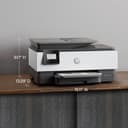
| Item Dimensions D x W x H | 13.29"D x 18.11"W x 9.17"H |
| Item Type Name | Inkjet Printer |
| Item Weight | 18.04 Pounds |
| Manufacturer | HP |
| Maximum Copies Per Run | 99 |
| Maximum Copy Resolution Black and White | 600 dpi |
| Maximum Copy Resolution Color | 1200 dpi |
| Maximum Media Size | 8.5 x 14 inch |
| Maximum Print Resolution Black and White | 1200 x 1200 Dots Per Inch |
| Maximum Sheet Capacity | 225 |
| Maximum print Resolution Color | 4800 x 1200 Dots Per Inch |
| Model Name | New |
| Model Number | 8015e |
| Model Series | 8010 |
| Number of Trays | 2 |
| Other Special Features of the Product | Auto Document Feeder, Network-Ready, Touch Screen, Two Sided Printing |
| Output sheet capacity | 225 |
| Paper Size | 3 x 5, 8.5 x 14 |
| Power Consumption | 21 Watts |
| Print media | Card stock, Envelopes, Glossy photo paper, Paper (plain) |
| Printer Connectivity Type | wireless |
| Printer Output Type | Color |
| Printer Type | Inkjet |
| Resolution | 1200 x 1200 |
| Scanner Type | Flatbed |
| Specific Uses For Product | Home, Office |
| Total Usb Ports | 1 |
| UPC | 195161213618 |
| Unit Count | 1.0 Count |
| Warranty Description | 1 year |
| Warranty Type | limited warranty |
| Wattage | 21 watts |
S**D
Don’t subscribe to HP inkjet cartridge program
I really liked this printer and made the mistake of subscribing to the mfg promotional inkjet cartridge program. The printer has to be on the HP Smart App to work properly. I was getting crap cartridges from HP that leaked and were the smallest size they could sell me. I cancelled my subscription because of the poor quality of their product. I purchased brand new cartridges from the HP store and they cost more than the printer which was very reasonable price. The printer worked great for my needs. After installing the new HP inkjet cartridges my printer quit working. I received a notification from my HP account that my printer would not work anymore unless I resubscribe to their ink cartridge program. It is a scam. I am a senior citizen who is a disabled veteran and my attempts to get HP to remove my printer from their account was not successful. I did not have any options with Amazon customer service. They had no idea that HP was so aggressive with their product to be disabled because of the cancellation of their inkjet cartridge subscription. I have always had a great experience with HP. I learned a hard lesson. SVS
J**2
Good Printer.
I ordered this printer yesterday. It came today. Fast delivery. I had read reviews before I ordered it. Some said it was hard to set up. We are not very tech savvy but we set it up no problem. I went step by step on setup instructions and at one point I went to utube and pulled up a video on how to set up this printer. We were having trouble opening cartridge door. Discovered top part of hood had to be down. Viola…we got it open and moved on. We got cartridges in and finished setup. I bought the 3-year warranty. I also signed up for the automatic ink delivery. We hate trying to buy ink and running out. There is a 6 month free ink deal when you buy this printer. That is very nice. The printer prints as expected. No problems. It also scans fine. I easily set it up to print from my iphone, my iPad mini and my iPad Air. It might be a little bit slower than last HP printer. It is fairly quiet. The NUMBER ONE REASON I chose this printer was because of the display. It pulls out and slants up making it easier to read. I hate trying to read displays flat against side. HP…put the display on top of printer or at least have a display like the one on this printer. It is so much better. I like this printer. I think it will work out great for our needs. The price was reasonable. It is very easy to use once set up. I am very happy. 👍
S**N
Definitely a Disappointment
We have owned and liked HP printers in the past, so we were expecting equal quality and ease of use with this device. We were happy to find very good quality of print, but the functionality is terrible. The challenge for us has been in functionality. First, the setting menu uses a scroll bar to maneuver between options and settings. It is not always visible and sometimes you have to tap the screen multiple times to get it to appear; thus, often re-setting the configurations unintentionally. It is very difficult to access the scroll bar to move up and down the screen. It is difficult to ascertain if you have actually selected and "set" the configuration you want to use. As shown in the image, this printer has a double sided option available, but it has never worked for us. I feel like we're pretty techie, so the only reason we think it doesn't work has to do with the settings screen. Scanning from our computers worked well - we initiate it from our computer most of the time and that is very effective. I don't scan from the printer directly since it doesn't always function correctly. It is slow in the uptake for printing items. When you send a request for something to print from your computer, it can take up to a minute to start producing the item. Copying works better, but it can also take a little bit of time to initiate. For copying multiple pages, the speed is acceptable once it starts reproduction. While we use the printer at home for personal use with some regularity, we've had to replace the ink three times in one year. We have always had and used printers at home and this is the first time we've had to replace the inkjets this often. We can usually get mostly though a year with one set of COLOR inkjets and we MAY have to replace the black inkjet a second time. There is the 6 months of free inkjet replacement option with this purchase, but you have to subscribe. We did not subscribe since we don't usually need replacements frequently. At this point the printer HAS cost us more than we paid with the replacement of the inkjets and it is now cheaper to replace this device than purchase new inkjets, which we will be doing.
C**S
Easy Set-up, Very Pleased so Far
After reading the reviews, I had braced myself for a long and tedious set-up process when I received my new printer yesterday. My previous HP printer is so old that they no longer make ink cartridges for it. My computer's operating system is old enough that it won't let me download the HP Smart program. So I had low expectations. I followed the directions to plug in, add paper and ink cartridges and set up the printer. I downloaded the HP Smart app to my phone because that's the only way to connect it to a Wi-Fi network that I can tell. I declined to create an account with HP, or to enroll in the free ink offer. I manually added the printer as my default to my computer. And to my amazement, everything works! I've been able to print from my phone, print from my computer, and scan things from the printer app on my computer. If you try to use the control panel on the printer to scan things it will tell you that you have to have an HP smart account, but you can still scan from the computer printer icon. Other than HP's insistence on trying to get you to create an account on their app to use a printer, the printer itself works very well. The installation of ink was easy, the actual paper tray holds quite a bit of paper and the printing is fast. I didn't bother putting it in quiet mode since it says it slows down the printing speed and honestly it's not that loud to begin with. The display is nice and bright and everything printed neatly. Unless I start having problems I would have to say this is a really good printer.
A**O
muy buenas impresiones, buena calidad y el envió desde estados unidos a Mexico muy rapido, llego antes de lo estimado. la impresora es de buen tamaño y escanea de ambos lados de la oja, pantalla tactil monocromatica y el wifi conecta muy rapido
K**Y
Here's my long story as short as possible. I had a 4200-ish series HP Envy. Printed faithfully for 10 years, moderate use, mostly b&w documents. When I decided to replace my Envy, I wanted something that would print sharp, colorful images on heavier paper & card stock (I now do a lot of art, collage, scrapbooking & paper craft). I'm very happy with the quality of the images printed, the color is accurate, copies are produced quickly- printed from Google Drive & Drop Box on my iPhone, iPad, Chromebook- super sharp & bright! Just loooove it!! Set up was a breeze, less than 5 mins flat, didn't have any of the issues other reviewers complained of. I can Air Print, directly from Drop Box, Google Drive, Google Photos, iPhoto etc or I use the HP Plus app which is really handy. It allows you to search files & images, alter the image size, freestyle crop, add 20+ filters & generally make changes similar to most photography apps. You can keep track of the # of pages printed, check ink levels, order ink (but Instant Ink basically does that for you), track ink deliveries, use the remote printing option, the quiet print setting & various shortcuts. I've been an Instant Ink member for 10 years. For me, it's always been a super convenient service that is well priced. I was never harassed or bugged or pressured into signing up or upgrading to more expensive options as other reviewers have stated. I haven't had a single memorable issue in TEN years. That says alot right? When I set up the new printer, HP instantly applied the 6 free months of ink & extra 700 monthly pages. I'll be honest, I thought there would be small print somewhere saying 'you have to be a new customer' to receive this promotion but they were generous, so I further respect HP. I pay 5$ a month & get 200 pages plus rollovers and all the ink I can use. The only downside is that when the ink levels are low & the printer orders me new ink cartridges, they are shipped from Arizona. I'm in Alberta Canada. HP said shipping takes approx 15-20 business days. So you could potentially be without ink for a period of time. I casually called HP to bring this up, just to see what they said. They agreed with my point of view, immediately sent out a second set of cartridges so that I'll have a carry over set of ink between the next refill. Just in case :) I feel good about the quality for the price, good customer service, the HP OfficeJet printer itself is fantastic.. I probably looked at every HP printer listed & found this to be the best rated, best priced, best promotion/ free product offer, best extended warranty and has the best partner app. I was really hesitant to initially purchase due to the multitude of poor reviews. But the list of issues others mentioned? I didn't experience any of them. None. As I said, I can't think of any negative occurrence in 10 yrs. I waited until Prime Day 2023 to purchase & got a FANTASTIC deal. It's been an issue free purchase. 10/10! (All photos are of clip art I printed on this printer, on various weights of paper & cardstock. Zero issues :)
L**.
Cumple con su función, buen equipo.
J**N
Bought this for work - works great! I don't do lots of printing as I can do a fair amount of work through Adobe, but when I do need to print and scan things in this is very convenient and easy to do with the computer and mobile apps. The ink provided when purchased was definitely a very small amount, and I went through it quickly before needing to be replaced. I didn't bother with the subscriptions as I felt that would've been a waste of money. I don't hear a lot of great things from HP (mainly due to trying to lock people in?), but I've been pretty happy with this one so far.
J**C
The print quality is good. I love HP instant ink. I was replacing HP 8610 which was a fabulous printer but it is old and Jams now. This one looks like a good price, but I wouldn’t pay a dollar for it. I think it should be illegal that the printer can disable itself because it needs an update. I paid for the printer if I want to update it I will if I don’t I’m not going to. At this point it is stuck in a loop as seen in the video. I will be returning it. I will buy another HP printer because I love instant ink. But this one feels cheap. I don’t like the black and white screen. I don’t like how the papers come out of it and have to be bent because the tray doesn’t fold out long enough. It didn’t appear to be able to print legal size. It was also hard to set up compared to the older one I have. You have to download drivers on every single device you want to use. The one I had before you could print from literally any device without downloading drivers. This printer also has to load if you’re trying to copy a couple pages quick. It will pause for about a minute and a half in between each paper. The only nice thing about the printer was the quality was good and that it is eligible for HP instant ink. Other than that it’s trash. Also to add - when you go to type number on the touch screen - if you want to press “2” it’s like an old cell phone where you have to press “1” twice.