We remain fully operational. Our teams are working around the clock to ensure your deliveries continue safely.

下载应用程序



Buy anything from 5,000+ international stores. One checkout price. No surprise fees. Join 2M+ shoppers on Desertcart.
Desertcart purchases this item on your behalf and handles shipping, customs, and support to SINGAPORE.
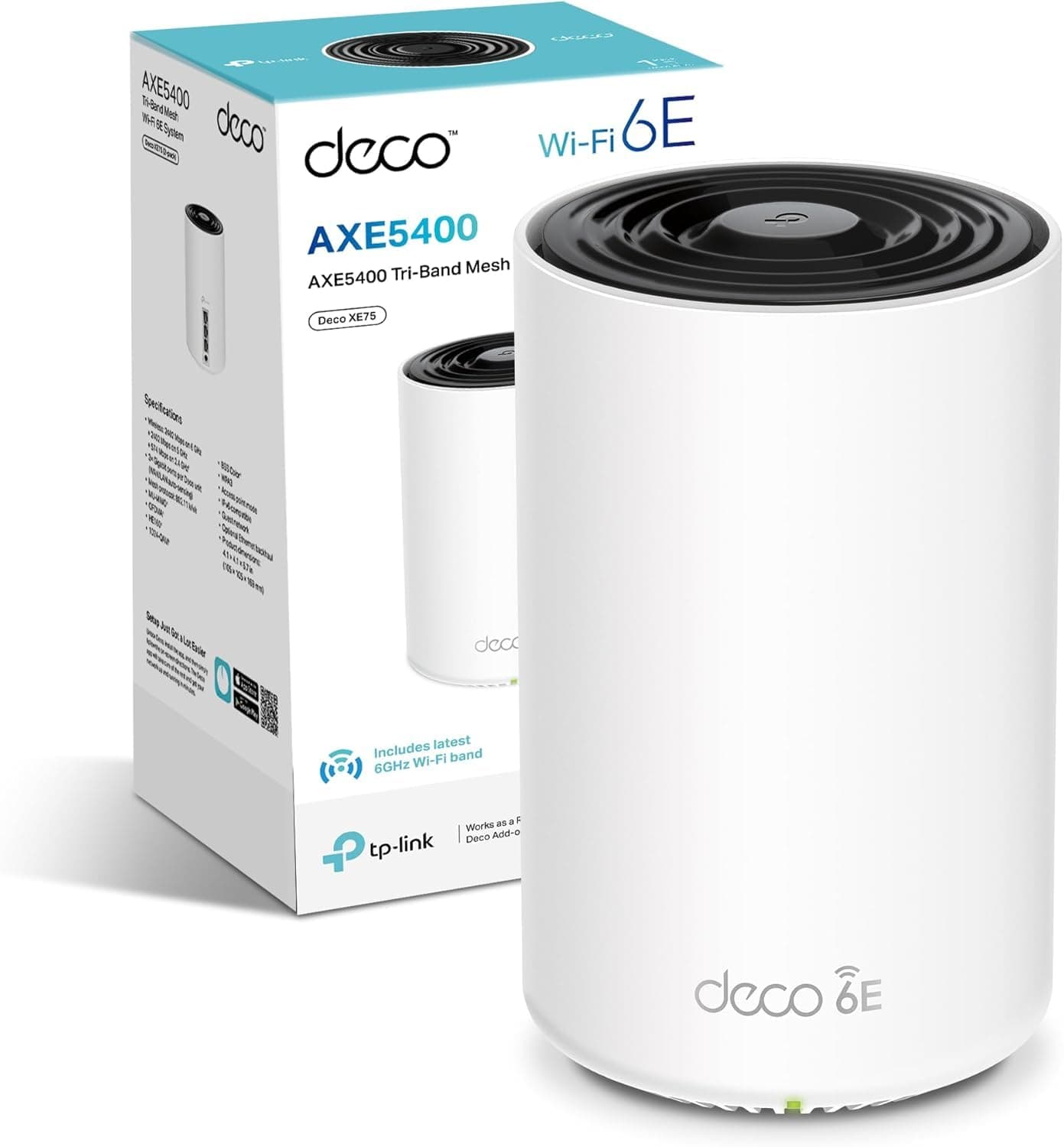
🚀 Elevate your home WiFi game — never settle for slow or spotty again!
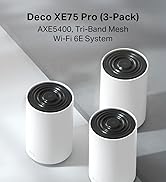
The TP-Link Deco XE75 is a cutting-edge WiFi 6E mesh system designed to blanket up to 2,900 sq ft with ultra-fast tri-band speeds up to 5,400 Mbps. Supporting up to 200 devices simultaneously, it uses AI-driven mesh technology for seamless connectivity and includes robust HomeShield security features. Easy app setup and compatibility with all ISPs make it the ultimate upgrade for modern smart homes craving flawless streaming, gaming, and online meetings.




| ASIN | B0BKTD5PQK |
| Antenna Location | Business, Home |
| Antenna Type | Internal |
| Best Sellers Rank | 2,802 in Computers & Accessories ( See Top 100 in Computers & Accessories ) 12 in Whole Home & Mesh Wi-Fi Systems |
| Box Contents | Deco XE75(1-pack) |
| Brand Name | TP-Link |
| Colour | white |
| Compatible Devices | Laptop, Personal Computer, Smart Television, Tablet |
| Connectivity Protocol | Wi-Fi |
| Connectivity Range | 2900 Square Feet |
| Connectivity Technology | Wi-Fi |
| Control Method | App |
| Controller Type | App Control |
| Country of Origin | China |
| Coverage | 2900 m² |
| Customer Reviews | 4.4 4.4 out of 5 stars (163) |
| Data Transfer Rate | 5400 Megabits Per Second |
| Frequency | 6 GHz |
| Frequency Band Class | Tri-Band |
| Is Modem Compatible | Yes |
| Item Dimensions L x W x H | 10.5L x 10.5W x 16.9H centimetres |
| Item Weight | 1.19 Kilograms |
| LAN Port Bandwidth | 1000 Mbps |
| Manufacturer | TP-Link |
| Manufacturer Part Number | Deco XE75(1-pack) |
| Maximum Upstream Data Transfer Rate | 5400 Megabits Per Second |
| Model Name | Deco XE75 |
| Model Number | Deco XE75(1-pack) |
| Number of Antennas | 3 |
| Number of Ports | 3 |
| Operating System | TP-Link OS |
| Other Special Features of the Product | Remote Access |
| Product Warranty | 3 Years |
| Security Protocol | WPA2-PSK |
| Wi-Fi Generation | Wi-Fi 6 |
| Wireless Compability | 802.11ax |
D**G
Pretty fly for a WiFi
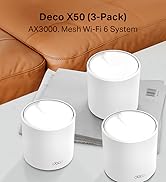
Great mesh solution, works as expected and the connectivity is good - range is clearly much better than using the Wifi provided by your ISP. Wife didn't even mind the aesthetics - looks like a small speaker (or the big Amazon Echo Studio speaker, but white) or an air freshener. Easy to set up with the app, also easy to maintain and view connected devices, bandwidth etc.etc. on the app as well. It has Wi-Fi tri-band - so 2.4GHz, 5GHz and 6GHz - but unless you're sat on the device, 6hz is pointless - very very fast - but doesn't travel at all though anything. I don't think this is the products problem but a 6GHz one, but it should be mentioned. Also the 6GHz signal has it's own name "YOURWIFINAME_6Ghz" that you need to add to your devices if you want to use it. Mesh is seemless, you can't tell when you're going from one of the routers to the other. Yes, they're pricy - but so are all the competition so what can you do? I've had wifi extenders before - much cheaper and you can tell why, you have to have them on different WIFI names and your devices will stick to one or the other until it loses range, regardless of the quality of the connection, so I would avoid and stump up the cash for a mesh solution like this and never worry about it ever again.
C**N
Super design, easy to set up and works superbly
We live in an old house with lots of very thick walls, so getting a good WiFi network has always been problematic. Using hardwire connections to use a laptop in blank spots worked pretty well, but obviously this didn’t help with devices that couldn’t be plugged in - like iPads for example. And there were always some places - indoors and out - where there was either no signal at all, or not enough for anything to work reliably. Switching to the Deco6 mesh system has changed all this. For the first time ever we now have WiFi throughout the house, and pretty much everywhere outside too. In the one room where previously we really wanted to use iPads but couldn’t, it’s now easy to browse the web in comfort. And the signal is so good that we can even watch movies without using hardwired connections. What’s more, the units themselves actually look good. They’re very much in keeping with the Apple design aesthetic - clean, simple and minimalistic - and so look great next to a Mac, MacBook or iPad. And if you choose to have the small LED light on, it’s creates a lovely, peaceful, soft green glow. The set up is also really straightforward too - a huge leap forward from any other router I’ve ever used. But it’s not foolproof. I’d watched several videos and read quite a few reviews so ended up slightly over-confident, and missed one key bit of information that’s there in black and white in the instructions. It’s this: you will need to have the Deco app installed and have access to it when you start. I’d installed the app, but had disconnected the old router and had no phone signal either. I had to reconnect it to the old WiFi network to be able to open the app. But from there on it was simple. Just make sure you’ve got your existing network user name and password to hand, plus your ISP user name and password. Should take 5 - 10 mins at most to be up and running. I found the best location for the 2nd unit by testing it in several positions, and then running speed tests on the network. Although the app is well designed, and easy to use, it is a bit lightweight and could easily be much more useful if TP-Link reviewed it and updated it to add more features. But that is about the only criticism I have of the Deco XE75. It’s every bit as good as I’d hoped it would be and a substantial upgrade to our internet experience.
M**H
Great
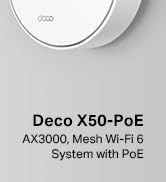
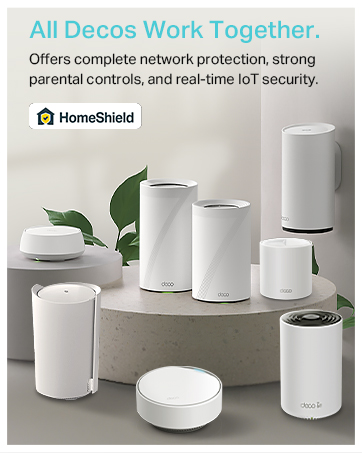
Tested lots of mesh systems, for me the XE75 is the best balance of performance and ease of use. highly recommend. Also seamless to pair with other models like the outdoor x50 and the poe ceiling mounted x50. Using wired backhaul in an old large house, 6 units total. very happy.
M**I
Excellent 6E mesh system for price but range was a concern
I won't go into detail that others have already written about but cover my personal experience only. This is an amazingly good value 6E system and frankly not anything I could find following research that provides the potential wifi speeds at these cost. Yes mesh systems are expensive and frankly this is over spec-ed for our broadband speeds atm but when you are investing its always best to future proof oneself (as much as one can afford) This was the twin pack which theoretically should cover our house BUT I found the speeds dropped off quite significantly at the extremities. Some said that the x3 pack was overkill except for very large houses/multiple floors but I beg to differ. At purchase 260GBP for the twin pack was a steal compared to the 499GBP asked for by the triple. But many will likely suffer drop off. I personally returned them then very soon happened to find a reduction of triple packs at other vendors for 340GBP which was a no brainer while Amazon remained at the higher 499GBP. The difference on the triple set up is night and day and allowed for better crossover and spread for 'us'. Our set up is an ethernet backhaul (as I had installed the wiring in our house anyway when totally refurbed 10 years ago) This ensures excellent signal strength between nodes. I wonder how it would fair using the poor strength third band 6Ghz frequency tho ? So can advise if you are using this method. The TP-link app is a breeze as was set up itself. I cannot fault TP on this at all. For all those who do not know the higher up the bands one goes the less range that signal will have but the better speed capacity. Although 6/6E/7Ghz routers can provide massive capacity they may well be all but useless to some with a dozen modes required around their houses to actually benefit form the speeds unless being totally open plan. Brick walls massively drop off 5Ghz+ bands. So all our devices just use the 2.4Ghz automatically and for good reason. Signal penetration on most normal UK house constructions is way better the lower the frequency. We were outlaying on a mesh system anyway paying a bit more (100GBP) wasn't an issue for a bit of future proofing. But DO NOT spend hundreds more as frankly these ever increasing frequencies and their costs only really have small returns without multiple nodes set ups like the triple+ packs imho.
J**G
Easy to set up and easy on the pocket. Wifi 6e is worth it ...
M**S
Easy to install and connect. I now have a better and more stable connection in all bedrooms.
F**I
أفضل جهاز ميش من خلال تجربتي وقد قيمت سابقا المجموعة التي تأتي من ثلاث قطع
A**R
Purchased 4 (2 sets of 2) for a large house, replacing older Aruba access points. With a real WIFI provider access points are on different channels as to not interfere with each other, not with Deco, all 4 on the same channel, massive interference, use these now just for 6GHz, have had to turn back on the Aruba for 2.4 & 5GHz because coverage is better. Also purchased in Australia, from Amazon Australia, UK version shipped, no way to change country in the firmware. Would not recommend to anyone.