We remain fully operational. Our teams are working around the clock to ensure your deliveries continue safely.

下载应用程序



Buy anything from 5,000+ international stores. One checkout price. No surprise fees. Join 2M+ shoppers on Desertcart.
Desertcart purchases this item on your behalf and handles shipping, customs, and support to SINGAPORE.
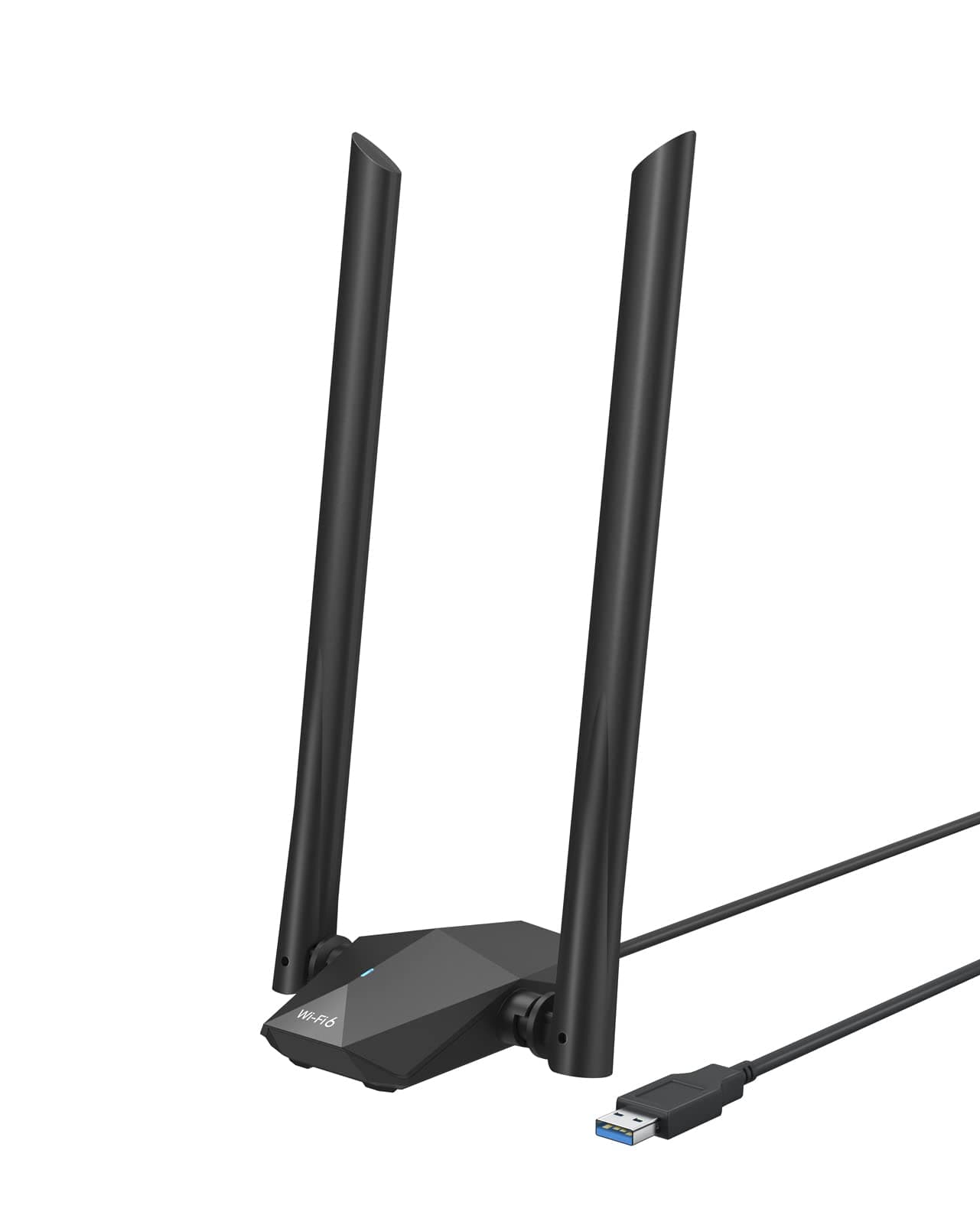
🚀 Upgrade your WiFi game—because buffering is so last decade!
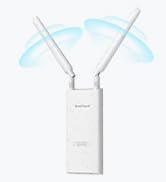
The BrosTrend USB WiFi 6 Adapter AX1800 delivers ultra-fast dual-band wireless speeds up to 1800Mbps with advanced WiFi 6 technology. Featuring two high-gain 5dBi antennas and beamforming, it ensures extended range and stable connections through walls and floors. Designed for Windows 10/11 PCs and laptops, it offers easy plug-and-play setup via USB 3.0 with a flexible extension cable. Ideal for HD streaming, gaming, and video conferencing, this adapter combines cutting-edge tech like OFDMA and MU-MIMO for efficient, lag-free performance.






| ASIN | B09TKG3NMY |
| Best Sellers Rank | #30 in USB Computer Network Adapters |
| Brand | BrosTrend |
| Built-In Media | 1 x 1800Mbps USB WiFi 6 Adapter with 2 X External High-gain Antennas; 1 x USB 3. |
| Color | black |
| Compatible Devices | PC, Computer, Desktop, Laptop |
| Compatible Operating System Family | Windows |
| Customer Reviews | 4.1 4.1 out of 5 stars (4,243) |
| Data Link Protocol | IEEE 802.11ax/ac/n/a 5GHz, IEEE 802.11ax/n/g/b 2.4GHz |
| Data Transfer Rate | 1800 Megabits Per Second |
| Hardware Interface | USB 3.0 |
| Item Dimensions L x W x H | 3.9"L x 3.4"W x 8.1"H |
| Item Type Name | USB WiFi 6 Adapter |
| Item Weight | 100 Grams |
| Manufacturer | BrosTrend Technology LLC |
| Mfr Part Number | USB WiFi 6 Adapter |
| Minimum Required Operating System Version | Windows 10 |
| Model Number | BrosTrend AX1800 WiFi 6 USB Adapter |
| Warranty Description | Register for 2-Year Warranty |
P**P
Big speed boost over my built-in Wi-Fi – easy setup and solid range on Windows 11
I picked up this rosTrend USB WiFi 6 adapter because the built-in Wi-Fi on my motherboard is pretty weak. It supports both 5GHz and 2.4GHz, but the speeds on my internal card have always been underwhelming. I wanted something faster and with better range, and this ended up being a noticeable upgrade. Setup on Windows 11 was easy. When I plugged it in, it automatically opened the folder with the driver installer. After installing the driver and restarting my PC, it was up and running. One thing I would recommend: if you’re planning to use this as your main wireless connection and your PC already has built-in Wi-Fi, disable the old internal adapter first so you don’t have conflicts. The driver is supported by windows 10 and 11 I confirmed that after restart. Performance has been very good for me. I’m using this in a basement with thick concrete walls, and I was still able to get around 248 Mbps. On my internal Wi-Fi card, I was getting closer to 123 Mbps in the same location, so this was a pretty major jump. My Ethernet connection tops out around 330 Mbps, so this adapter gets surprisingly close for a wireless solution. The Bluetooth side also worked fine, and overall stability has been good. Streaming video and regular browsing have been seamless. I haven’t tested it for gaming or live streaming yet, but for normal internet use it’s been solid. My ping stayed about the same, but the faster download/upload speeds were definitely noticeable. Build quality feels good too. The adapter doesn’t feel cheap, and it only gets a little warm in use, not dangerously hot. It has venting on the bottom to help with heat, and the external antennas help a lot with range compared to the tiny nano-style adapters. That’s probably one of the biggest reasons it performs so much better in my setup. One thing some people might complain about is that it doesn’t use USB-C. Personally, that didn’t bother me much. It uses the older Micro-B style USB 3.0 connector, which you often saw on older external hard drives. USB-C would have been nicer for standardization, but it’s not a dealbreaker. Important note: this is a Windows-only device. It’s intended for Windows 10 and Windows 11, so I wouldn’t pick this up expecting Linux or Raspberry Pi compatibility. Overall, this is a very solid USB Wi-Fi adapter if your built-in Wi-Fi is weak and you want a simple way to improve speed and range on a Windows PC. In my case, it was a noticeable upgrade right away.
J**.
Works Well, Batman
Works great and is fast. Only issue was I had to restart my computer 4 times before it all worked correctly. Not sure what that was about
I**.
Much Improved Speed & reliability from the last AC1200: but can't stand the LED
I used the earlier version (AC1200). After about a year of usage, the connection was flicking on/off. I contacted BrosTrends & got a quick refund & purchased the newer adapter, as the price difference was less than $10 and the newer one supported Wifi 6. Please note that it does NOT support the 6 GHz band, only Wifi 6 standard (my new Verizon router supports both), and my Windows 11 computer recognized it right away. So, given that AC1200 still sort of works, I tested the difference between the two. Despite 5GHz 867Mbps claim, I only got about 230Mbps on 5GHz on AC1200 on down speed (on Wifi 5). AX1800 managed to pull over 305Mbps, which is the max speed I signed up for. Both managed around 200Mbps on upload. So, this alone is worth the less than $10 diff. However, here's the real reason to purchase it. The second pic shows the connector difference. I realized as did this review that I got more USB connection dropping as I touched or moved the adapter around on AC1200. I believe the problem is that USB-C connector on the AC1200 has gotten loose over time or contaminated during relocation. I can feel it moving around as I shake it. The AX has a different connector as you can see from the 2nd pic top (vs AC on 2nd pic bottom). There is no base and the connection is much more secure and solid. I will add more review as I test this on my Linux (Ubuntu), but so far so good. BTW: One thing that's really annoying on AX is the rapidly blinking blue LED light on top of the adaptor. I wish it was much slower or just solid on. N. B: Make sure you download the driver prior to disconnecting. Window 11 does NOT auto-install a driver.
K**.
A bad choice that gets worse with time
This adapter is a poor choice because of the chipset used and some hardware design choices. Problem 1: Drivers Because of the poor choice of chipset, a manual installation of driver software is necessary. The device is supposed to present as a USB drive with Windows drivers, however it appears once the device mode-switches to Wi-Fi mode, it will never present the USB drive again on any device, even a brand new one. This means that if you move this device to another computer, you will need to find and download the driver... from the internet, which means you need a separate device with an internet connection to download the driver. Additionally, Linux driver support is very poor. In a previous version of this product page, they claimed Linux compatibility, however this "feature" has been stealthily removed. It is possible to configure this device on Linux, however you must manually compile the driver, which is a difficult and painstaking process which, again, likely will require an internet connection. Problem 2: Working Lifetime This device lasted 3 months before it completely stopped functioning. After about 1 month, it would randomly stop functioning for ~20 second intervals every few minutes. This behavior is driver, system, and configuration independent - it occurs on any device, regardless of operating system or driver used. The module itself becomes unresponsive, identifiable by a loss of internet connectivity and either an unlit status LED or glitchy blinking at irregular intervals. Most times, the device recovers after ~20 seconds, however in some cases the device will simply cease to function until it is unplugged and reconnected. If $10/month + frustration is your Wi-Fi adapter budget, this might be the module for you. If you're looking for a frustration-free 802.11ax/Wi-Fi 6 adapter, shop elsewhere.
J**A
Buen producto me soluciono los problemas rápidamente y sin instalaciones complicadas, enchufar al puerto USB 3.0 ya que mi ordenador la tenía, instalar el software que va ya incluido y a funcionar
S**X
Cette clé WiFi 6 USB BrosTrend AX1800 est une solution fantastique pour mettre à niveau rapidement un PC ou un ordinateur portable. L'installation est simple, et la performance est au rendez-vous : j'ai constaté des vitesses de connexion nettement supérieures et une stabilité incroyable du signal. La portée est excellente. C'est l'outil parfait pour exploiter pleinement votre routeur WiFi 6 et améliorer votre expérience de jeu ou de streaming. Un investissement qui vaut le coup !
S**M
ممتاز جداً
R**B
Van bijna geen WiFi naar volle WiFi verbinding. Snel en makkelijk aan te sluiten en te installeren. Ik kan dit product aanraden.
C**S
My laptop kept disconnecting from WIFI, so was looking for an alternative WIFI adapter. Driver installation was very straight forward as the WIFI antenna doubles up as an USB stick with the driver software, so you don't have to have network connection to install. Am very happy with the purchase, didn't face any issues or problems since.