We remain fully operational. Our teams are working around the clock to ensure your deliveries continue safely.

下载应用程序


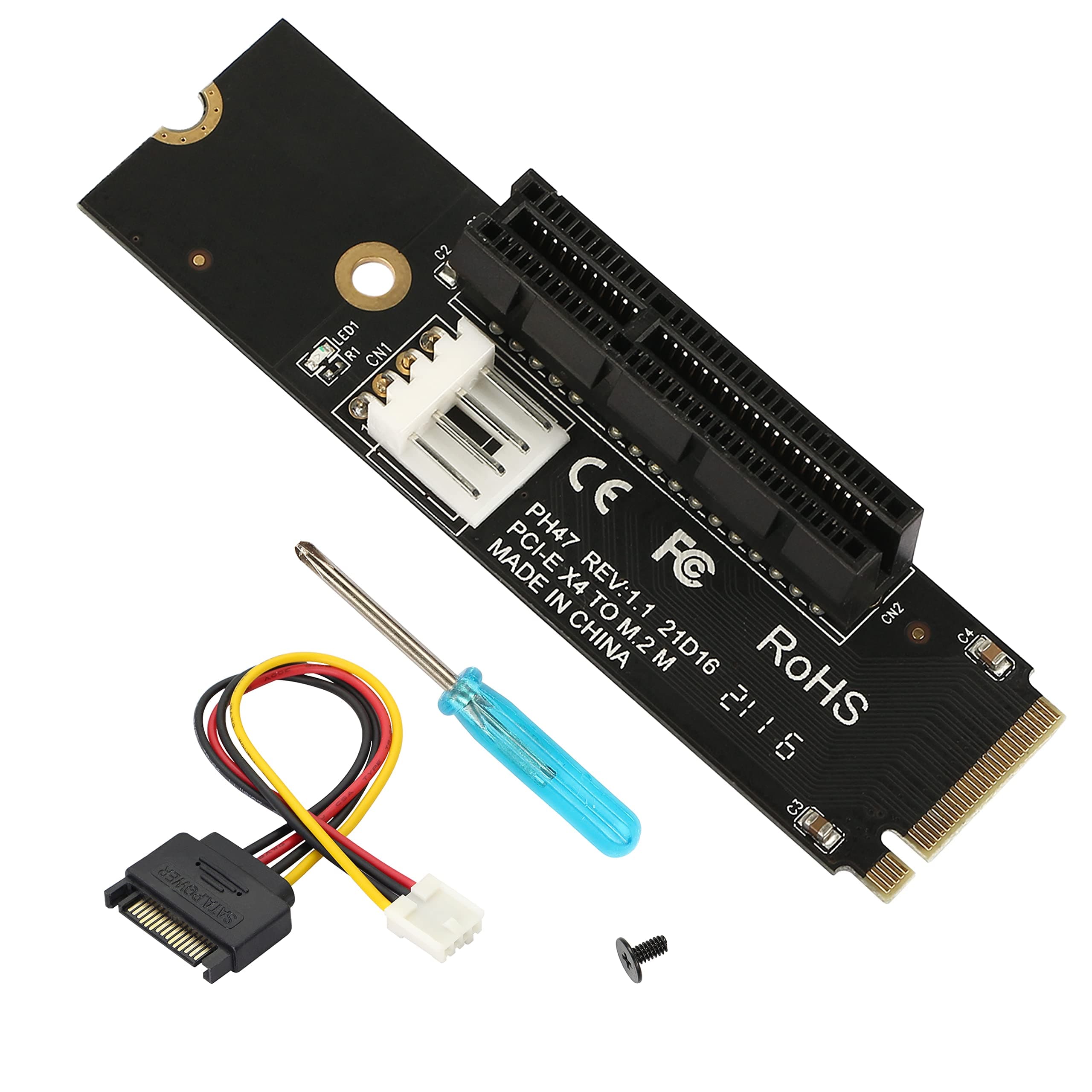


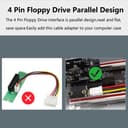


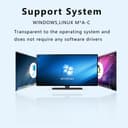

⚡ Power your mining or GPU setup with effortless speed and style!
The GELRHONR NGFF M.2 to PCI-E 4X Riser Card converts M.2 NGFF SSDs with M Key into a PCIe x4 interface, supporting PCIe 4.0 speeds. Compatible with Windows, Mac, and Linux without drivers, it features a compact adjustable design, LED power indicator, and comes with all necessary installation tools. Ideal for mining rigs and high-performance GPU expansions, it ensures stable, interference-free data transmission.
| ASIN | B09N1FYCQZ |
| Best Sellers Rank | #144 in Internal Computer Networking Cards |
| Brand | GELRHONR |
| Compatible Devices | Personal Computer |
| Customer Reviews | 4.6 4.6 out of 5 stars (35) |
| Hardware Interface | PCI |
| Item Weight | 0.03 Kilograms |
| Manufacturer | GELRHONR |
| Model Number | LH-325 |
| Operating System | Linux,Windows |
| Style Name | Classic |
| Unit Count | 1 Count |
L**.
Stable PCIe 4.0 x4 Connection
Provides a stable PCIe 4.0 x4 connection to an RTX 3070, which I'm using as a secondary GPU for Blender. Connection remains stable after 10 minutes of rendering. Installation was no different than installing any M.2 SSD—extremely easy—and it worked with no troubleshooting. The included screwdriver wasn't super useful to me, but it's cute. SATA power adapter is extremely stiff and difficult to connect to PSU cable, but works as it should. Make sure your motherboard chipset's heatsink isn't in the way! x16 devices are too long to clear most modern chipset heatsinks. Devices should still work if the heatsink is low-profile, but I recommend an alternative means to secure x16 devices. Unless your motherboard has an interesting layout, you cannot use your case's expansion mounting brackets.
C**M
One out of three was broken but otherwise works fine
Ordered three, one did not work. I was testing a Mellanox Connectx-4 LX PCIE card in the NVME slot of multiple different AMD motherboards. Has a bright green LED which I don't like. On the one unit that failed the green power indicator light was still on.
L**D
Cheap egpu dock for a low power gpu
Connected a 750 ti (60 watts), an m.2 to usb 4 enclosure plus a 120w 12v brick. Cheap way to add an egpu to a compatible pc.
E**.
Works great
Works out of the box
A**R
Functional
Rating accounts for the price of this item being $10. Pro's, it works, I used it will a pcie 4.0 x4 extension cable and tested it with a SAS card. It worked right off the bat no issues. This would suggest to me that this would work fine with a 10gb nic as well as the SAS cards are a little power hungry. Cons. the PCB is very thin, and the way it is setup I don't that it is likely to line up with your case card slots. Given that the PCI slot is at the top/upper portion in my case the slot interferes with my GPU (even when I use the riser cable) - plan accordingly for your own circumstances. If you are going to use this with a either a rise cable or something that is very light weight and does not have external connections this may work for you.
A**M
works with pcie 4.0
NIC with PCIE 4.0 interface worked at PCIE 4.0 x4 speeds.
J**J
Works for me
Plugged this a raspberry pi 5 and got to detect a PCIe SSD. Plugged into a mini PC with a few gpus and SATA controller and all worked no issues.
X**X
great for using all kinds of PCIe devices on a laptop
can be used if you need a quick and dirty Egpu among other things seems to work perfectly. only thing i did not like about it is it's use of a SATA connector and not MOLEX
I**A
I wanted to use this as a gpu for virtual machines and I was originally hesitant because I saw no videos of it working. I caved in and bought it anyway, turns out your pc needs to support it, which mine did! I now have a working gt 1030 to play my incompatible light windows games on linux! It's the cheapest alternative if you're not looking for maximum performance!
H**N
Good Product, Good Value, Works Well.
J**D
Works great for an E-GPU i crammed into a laptops NVME slot runs at PCIE 3 x4 speed as promised
M**B
It did work, my n6005 did detect the drives, but if you move drives to this controller after they were on another controller, it may not be recognized, depends on your os.
B**3
Doesn't respect pcie spacing. By putting the pcie slot all the way to the right they made the device unusable in most cases since the slot gets partially covered by the pcie x1 device to its right. Moving the slot to the middle would fix this glaring issue.
TrustPilot
1 个月前
5天前