We remain fully operational. Our teams are working around the clock to ensure your deliveries continue safely.

下载应用程序


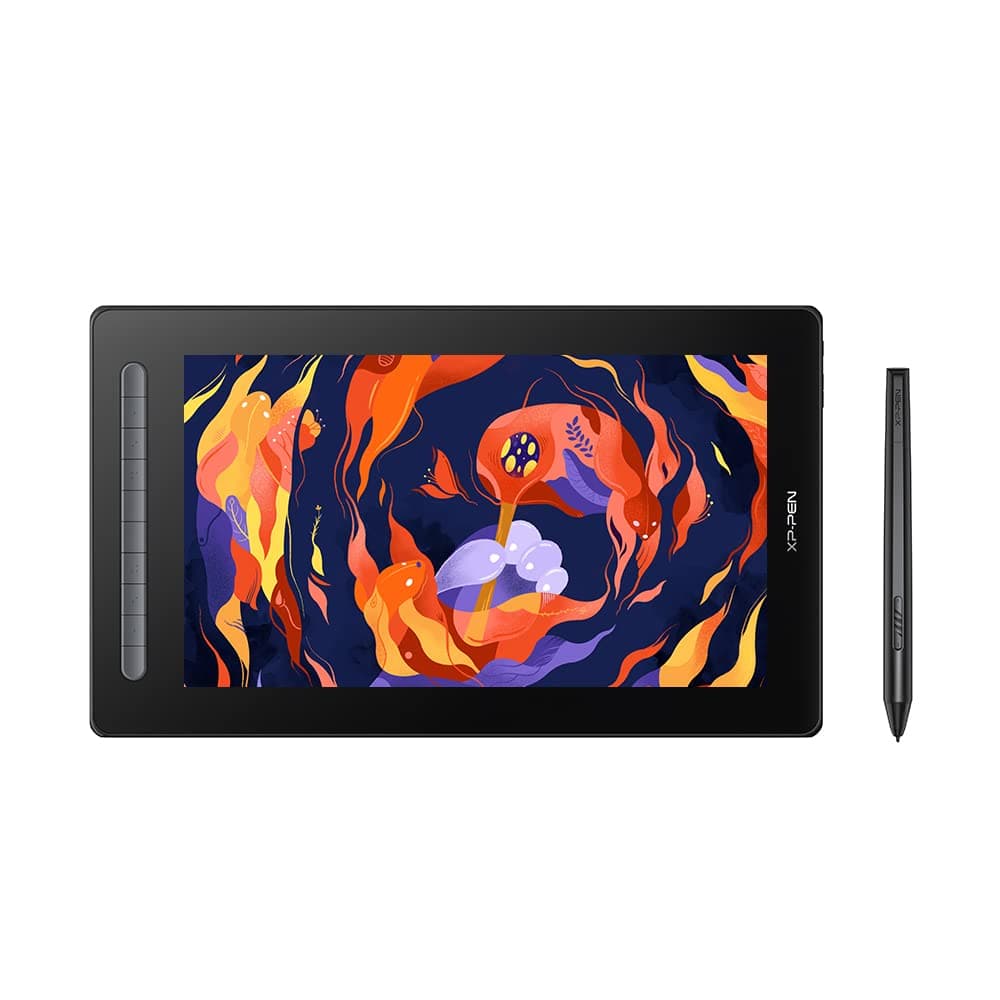



🎉 Elevate Your Art Game!
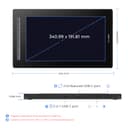
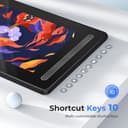
The XP-PEN Artist 16 2nd Pen Display is a cutting-edge drawing tablet featuring a 15.4-inch full HD screen, 8192 levels of pressure sensitivity, and customizable express keys, designed for artists and professionals seeking a seamless digital drawing experience. Compatible with multiple operating systems, it offers versatile connectivity options and an anti-glare screen for focused creativity.









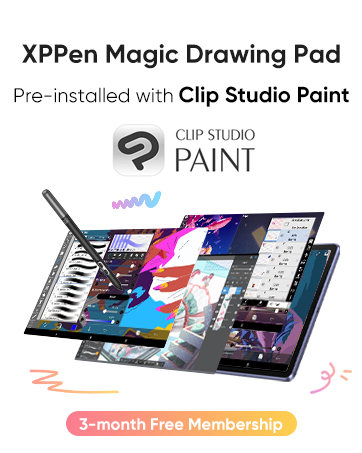





| ASIN | B09VC794NF |
| Active Surface Area | 232.32 square inches |
| Additional Features | Pen |
| Best Sellers Rank | #446 in Computer Graphics Tablets |
| Brand | XPPen |
| Built-In Media | 1 x Digital Pen |
| Color | Black |
| Compatible Devices | Computers, Laptops, [Potentially] TVs and Tablets |
| Connectivity Technology | HDMI, USB |
| Customer Reviews | 4.3 4.3 out of 5 stars (137) |
| Display Type | LCD |
| Item Dimensions L x W | 120"L x 204"W |
| Manufacturer | XP-PEN |
| Model Name | CD160FH_BK |
| Model Number | CD160FH_BK |
| Native Resolution | 1920x1080 |
| Operating System | Android OS, Chrome OS 88 and above, Linux, MAC OS 10.10 or above, Windows 10, Windows 11, Windows 7, Windows 8 |
| Pressure Sensitivity | 8192 Levels |
| Screen Size | 15.4 Inches |
| Specific Uses For Product | Drawing |
| Target Audience | Teacher |
C**Y
amazing!!
this drawing tablet is honestly so nice to use. I am switching over from being solely an ipad user and the ease of switching over is just so nice. The pressure sensitivity is very nice and you can switch it depending on how light/heavy handed you are. i love the anti glare film and overall the tablet is just amazing. the only thing i suggest is probably duplicating your main monitor screen onto the tablet for smaller icons because it can become pretty crowded if used normally, but other than that i really love this tablet. one thing i got confused at first about was that the screen is NOT touch screen, the nib is the only thing that transfers. you can’t zoom in or out with your fingers, but you can easily use the shortcuts on the side of the tablet to do that for you!
L**D
Amazing, came with adapters!
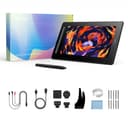
An absolutely amazing tablet, it came with so many extras that many would have to spend an extra $500 for- such as adapters, hdmi cords, and etc! I purchased the largest size and also got their tablet stand which is extremely recommended for any of the tablets.
R**C
Great upgrade from a grapics tablet
This is a high quality pen display especially for the price. No issues whatsoever. I like that I can now have a reference photo or watch a tutorial on my main monitor while drawing on this.
L**H
I dont know how to feel
Its a good product but it got a dead pixel in just 3 days of use and it randomly got a blemish even though i did nothing but draw??? I’d say it breaks easy. Also it is not very accurate when it comes to color and i have no idea how to change it to be more accurate to my laptop. I’ll replace it once i get a job but for now it will do.
L**K
very satisfied
I absolutely love it! Feels so good, I really enjoy using it. The quick keys are very useful and convenient. Highly recommended!
D**G
Best in class, excellent Linux support
Way better than the more expensive 16" alternatives. The pen is *excellent*, I love it's slimmer profile and how it feels more like an actual pen in my hand. The screen is bright and vibrant, with zero parallax. I love how slim the tablet is and how you can connect it with a single USB-C cable. Linux support is *phenomenal*, with the best Linux drivers I've ever seen for a drawing tablet. I couldn't be happier with this product.
A**A
Review
It feels so good drawing on a big screen as I have been spending my whole life drawing on my phone. The product is great though i did have some certain struggles in setting the tablet up (I took me literally 3 hours). I have a macbook so the process is pretty much more confusing, if you have a macbook plz buy a usbc cable it's around $12-$15 i believe, i got mine from amazon.
H**.
Sehr gut zum Bearbeiten und Zeichnen von Bildern. Ich nutze es hauptsächlich zum designen für meinen Plotter oder Lasercutter. Funktioniert einwandfrei.
C**S
Parfait
S**A
There is space for plugs as given in instructions but it's not present here. Quality 4.5/5 Connectivity 5/5 Easy to use 4/5 Value for money 4/5 Portability 2/5 Color: black Total score 8/10 (works really nice but is very expensive)
I**R
This was my first acquisition of a drawing tablet with screen, I used to draw in a very small screenless wacom tablet, and putting my hands in one of these for the first time is an amazing experience. I have made huge research and compared many tablets of multiple brands (Wacom, Huion and XP-PEN), and after thoroughly comparing all of them, I decided to buy this one. It didn't disappoint me in any aspect: Screen quality is great, color range is absurdly good, pen feeling is also very good (people say it's very light and sometimes slippery, but has a decent weight), it's very easy to use and easy to set up the shortcuts! The only thing that I had trouble with was making the connection with the computer, but it was completely my mistake of plugging the cable in the wrong USB-C entrance, so make sure to plug in the right one before thinking it's broken hahaha. Overall, I absolutely recommend this tablet, if you don't feel like having a screen with a bigger resolution (this one is 1920x1080), I'd say go for it. I didn't test drawing with photoshop (cuz adobe is lame fr) but worked just fine with Clip Studio Paint. If you never had a screen tablet before, you won't miss anything, because this one provided me with all the necessary assets (it even comes with a drawing glove!)
E**R
Funciona genial
TrustPilot
5天前
2 周前