We remain fully operational. Our teams are working around the clock to ensure your deliveries continue safely.

下载应用程序




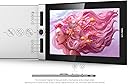
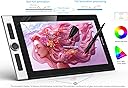


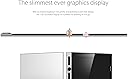


🎨 Elevate your art game with color, control, and portability!
The XPPen Innovator 16 is a 15.6-inch pen display tablet featuring a full HD 1920x1080 resolution and 92% Adobe RGB color gamut for vibrant, accurate visuals. Its ultra-slim 9mm design and portable stand make it ideal for on-the-go creativity. Equipped with a battery-free stylus supporting 8192 pressure levels and 60° tilt, plus 8 customizable shortcut keys, it streamlines your workflow. Full-laminated technology reduces eye strain and enhances clarity, while a convenient 3-in-1 cable setup keeps your workspace tidy. Compatible with Windows, Mac, and popular art software, it’s a powerful tool for professionals seeking precision and portability.














| ASIN | B08BCH43J7 |
| Active Surface Area | 176.35 square inches |
| Additional Features | Pen |
| Best Sellers Rank | #301 in Computer Graphics Tablets |
| Brand | XPPen |
| Built-In Media | Package includes: 1x Innovator16 Graphics Display 1x Battery-Free Stylus 1x 3-in-1 USB Cable 1 x Extension Cord 1x Power Adapters 1x Portable Stand 1x Pen Holder (the ID160F comes with 8 pen nibs) 1x Quick Guide 1x Cleaning Cloth 1x Black Drawing Glove |
| Color | Silver Black |
| Compatible Devices | Windows 11/10/8/7 and Mac OS X 10.10 (and higher) |
| Connectivity Technology | USB |
| Customer Reviews | 4.3 4.3 out of 5 stars (422) |
| Display Type | LCD |
| Item Dimensions L x W | 17.45"L x 10.1"W |
| Item Weight | 1400 Grams |
| Manufacturer | XP PEN |
| Model Name | Innovator16 |
| Model Number | Innovator ID160F |
| Native Resolution | 1920x1080 |
| Operating System | Windows 10/8/7 and Mac OS X 10.10 (and higher) |
| Pressure Sensitivity | 8192 Levels |
| Screen Size | 15.6 Feet |
| Specific Uses For Product | Drawing/learing/working/Interactive metting |
| Target Audience | Teacher |
| Warranty Description | One Year Warranty |
K**S
Great mid-budget graphics tablet
I was looking for an affordable display tablet to replace my ancient Wacom Intuos. I was a little nervous trying to choose between 'budget' brands XPPen and Huion, but finally selected this one after a lot of comparisons, review reading, and internal angst. While I was a little disappointed at first, when it did not seem to work with my art program of choice (Sketchbook, formerly by Autodesk), after a couple of driver updates and reboots, I got it working very smoothly and did not have to learn or relearn some other program to use the tablet going forward. Accuracy is good, it feels very nice and natural to use. I'm coming from using an old non-display type, so the jump to having a display I can look at while drawing is fantastic. Intuitive layout, and hotkey buttons are easy to set up. Unfortunately one of the wheels doesn't work right with my art program, but that's a quirk of the program, not of the device, I think. The stand is plastic and might look a little flimsy at first, but it feels solid under the tablet and I haven't had any trouble with it. Stylus pen feels good to use, not clunky or awkward.
J**Z
Weird Adapter but Very Impressed
BLUF : The adapter is frightening - but I'm enthralled by the first impressions. I've gotten burned on tablets before - so I honestly thought the Innovator looked pretty risky based on QC and fragility reports. I went ahead and took the chance because forwardly for full draw-on-screen functionality it hits a pretty sweet price spot on sale at a little under $250 all things said and done. I went ahead and downloaded the firmware from their website and had a look. I didn't need to make any adjustments to the basic setup. The adapter? It scares me. It's a proprietary USB-C that branches into an HDMI, a black data USB-A, and a red USB-A for power. It's a cluster for sure; but I already love using it. As a whole package? I dig the actual tablet of course. It works like a second monitor but with pen input which was great for me since I have a preferred PC. It's got a comfortable drawing area and nice dimensions in my opinion. I don't use the buttons myself? But the hotkeys are customizable with the firmware app. In all, unless it breaks or something, I don't have any issues with the package for what I paid. The two features left to be desired for me? It's a pen screen, but not a finger-compatible touchscreen. That would be a cherry on top. The other nitpick is the fact that the pen does not have a built in erase function. Otherwise I'm happy. If you know someone who draws on a blind tablet, this is absolutely a logical next step.
I**E
Very nice display, very happy
Received this about a month ago, and since then I’ve been really enjoying using it! Before this display I was using the default touchscreen pen that comes with my touchscreen laptop, the hp envy x360, that lost pen sensitivity all of a sudden which is what forced me to look into actual legit displays meant for digital illustrations. I was initially debating between this and the huion kamvas pro 16, however decided on the innovator 16 due to it being a newer release, which likely meant less bugs in drivers and improved build. I was also intrigued at the thinness of the display itself. It truly is an incredibly thin display, very very responsive, and I do not notice the parallax, if it does exist, after calibration of the screen. It was very easy to set up, only followed the given manual, and very fast to start up and use as well. The roller wheel is like very nice to use, and very natural for zooming in and out. I don’t use the inner touch wheel much (and haven’t really looked into how to use it) but the outer wheel is responsive and fun to use actually. The buttons on the side are clicky and east to designate functions, and the pen is solid and nice to hold. The function of the the pen holding tube as also a pen holder and protector, as well as storage for additional pen nibs, was a good use for space that I appreciate. The colors are vibrant and much more accurate than the colors displayed on my laptop. If there’s one thing to sort of “complain” about it is the fact that the stand only comes with one angle; the price for this display isn’t cheap exactly, so a stand for multiple angles would have been nice. However, stacking some books under the stand works to prop up the display to a higher angle. Overall really impressed with this display, and very happy with it :)
G**Y
wife tells me to get off it. when im not working i am useing it
C**R
UPDATE: Used their support after a few years due to a detection problem, and they got me sorted out easily - great people - I'd buy from them again. ORIGINAL POST: What a lovely responsive tablet this is. The screen is bright with good colour, there is no noticeable parallax effect, and you can use the lightest touch of the stylus - so it does very accurately portray what you want - down to about a 35 degree angle of the pen I'd estimate. Turning the stylus around gives an eraser which is an alternative to using the side-button. You can view the screen easily from an angle too (which is a noticeable improvement for me on the old 15.6). I had to return the first one due to a bubble in the factory-applied matt screen protector, but second was fine so just a matter of looking at it carefully before you start using. The only things I didn't like... Pen stand - the lovely pen container is all very smart and nice but doesn't have a stand for the stylus. Xp-Pen don't do one yet for this stylus, but the UPPERCASE Designs NimbleStand Vertical Stand for the Apple Pencil seems to do the job for me as the difference in stylus width is only 0.4mm. Stand - it doesn't come with one, but I'm using a Parblo PR110 which works well with this. Plug - the USB C connector has to head north of the tablet, otherwise it covers the power button - SEE PICTURE ATTACHED - and unlike the old 15.6, the little USB-C corner-pieces that you can buy on Amazon to hide the power connector when using on a stand just don't quite fit (the socket hole must be a touch smaller), so sadly you can't really "hide" the wire completely when using on a stand. Then at the computer end of things I it is the old 3-connector end for the power, USB connection and HDMI connector. Hope they can do a single USB-C to USB-C one day! Visible screen - I do wish that the inch of black around the screen could be reduced to make the whole thing smaller, but all tablets this size are like that. It is a lovely screen though - matt effect, nice and bright and crisp. So in summary, it's great to use, but you have to think about your accessories. If you're someone who just carries something around in a case and uses it flat then you'll of course be fine without a stand and pen holder.
E**O
Use el producto sin problemas por aproximadamente un mes y de pronto empezó a presentar rayas o pantalla en negro. Este problema era pasajero, se solucionaba con prender y apagar, sin embargo la experiencia ya no era la misma por lo cuál decidí devolverla. He investigado y parece que este problema es recurrente en este modelo, no deberían sacar a la venta productos con estos fallos tan graves que realmente arruinan la experiencia...
D**B
Well I can not say I found anything I dislike about this drawing monitor. It’s simply amazing is light and compact with a laptop so you are not stuck at a desk. It dose exactly what it’s supposed to do. If you are on a budget you can not go wrong with this monitor. For myself I really wish I would have spent the extra on the artist pro 16 TP for the touch ability but that’s ok maybe in the future. This is my second drawing monitor as I have a larger Huion in my studio. Hands down XP pen is an awesome device. I love mine thank you XP pen.
R**R
Impressive Quality. My daughter loves it. Looked at tons of reviews and super happy i got this.
TrustPilot
2 个月前
2 周前