
下载应用程序


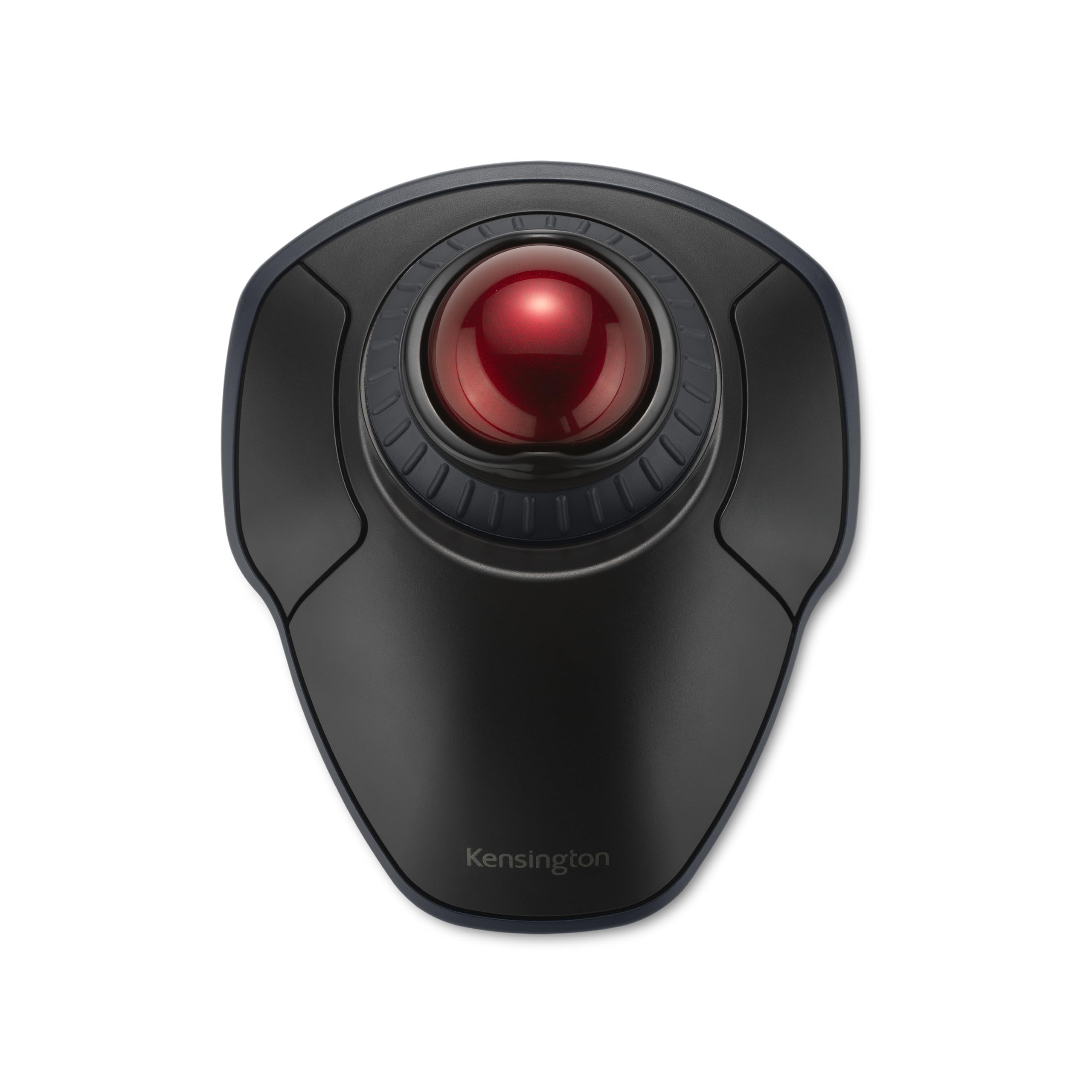
🖱️ Elevate your workspace game with precision, comfort, and wireless freedom!
The Kensington Orbit Wireless Trackball with Scroll Ring (K70990WW) combines dual wireless connectivity (2.4 GHz & Bluetooth LE) with 128-bit AES encryption for secure, flexible use. Featuring a 40mm precision trackball, four adjustable DPI settings, and an ergonomic ambidextrous design, it reduces wrist strain while enhancing control. The patented scroll ring enables effortless navigation, and the free KensingtonWorks software allows full customization of buttons and cursor speed. Compatible with Windows and macOS, this trackball is a premium tool for professionals seeking comfort and efficiency in a sleek wireless package.


| ASIN | B09DGMYVPP |
| Additional Features | Wireless |
| Antenna Location | Office |
| Are Batteries Included | Yes |
| Are Batteries Required | Yes |
| Battery Average Life | 50 days |
| Best Sellers Rank | #22,488 in Computers ( See Top 100 in Computers ) #4 in Computer Trackballs |
| Brand | Kensington |
| Built-In Media | orbit wireless trackball, usb receiver, aa battery |
| Button Quantity | 2 |
| Color | Black-Red |
| Colour | Black-Red |
| Compatible Devices | Personal Computer |
| Connectivity Technology | Bluetooth |
| Connectivity technology | Bluetooth |
| Customer Reviews | 4.3 out of 5 stars 565 Reviews |
| Enclosure Material | Plastic |
| Hand Orientation | Ambidextrous |
| Hardware Platform | PC |
| Item Dimensions L x W | 18.5L x 14.2W centimeters |
| Item Weight | 5.6 Ounces |
| Manufacturer | Kensington |
| Model Name | Orbit with Scroll Ring |
| Model Number | K70990WW |
| Mouse Maximum Sensitivity | 1600 Dots per Inch |
| Movement Detection | Optical |
| Movement detection technology | Optical |
| Number of Batteries | 2 AA batteries required. (included) |
| Number of buttons | 2 |
| Operating System | Windows, macOS |
| Power Source | Battery Powered |
| Range | 30.0 feet |
| Special features | Wireless |
| Style Name | wireless |
| Theme | Video Game |
| UPC | 085896709909 |
| Unit Count | 1 Count |
M**V
Amazing quality and perfect for my use
Needed a trackball or trackpad mouse for my racing simulator. Was annoyed at using a normal mouse as I had limited room on my keyboard stand. Looked in to trackpads but wasn't practical as I'm using a triple monitor rig and don't want to be swiping over and over to get across the screen. Decided to give this track ball a try and wow. Absolutely perfect for my use and an amazing product. Good materials, sensitive settings so you're not bothered trying to select something and having the mouse jump around, ergonomic and very comfortable to use. Love the scroll wheel, and the placement of the buttons are perfectly distanced from the ball it self. I have a moderately normal to large size hand so for me it's a perfect size. Didn't expect it to be this big of a product but then again I had no idea what to expect when purchasing and now after having it for a month, I can safely say I'm very happy with the size and the product overall. 100% would recommend to anyone and especially those with racing rigs, this is the best option you'll ever find. I do wish it was around $50, found it to be a little pricy but then again, everything nowadays is. And for the quality you receive, you're definitely not complaining about the price, just in the grand scheme of things, it would be nice if it was a bit cheaper. Overall 10/10
G**A
Just as described
Works perfect just as pictured and described
H**G
Stopped working in 6 months and no warranty replacement
I bought this track ball in India. The left click button stopped working in 6 months of use. When I contacted the support, they told that even though warranty is valid, they do not ship replacement outside UK. If they sell outside UK then why not honour warranty in same place?
D**E
Utilissimo
Molto utile per persone disabile con poca mobilità
I**N
I use it with Logitech right-hand tracking ball mouse to rest my right hand: Pros & Cons
I am right-handed and for years have used, and enjoyed, the Logitech (now called "Logi") right-hand tracking ball mouse, which unfortunately the company does not make a left-hand version of. Though right handed, my right thumb has begun to hurt from overuse of the right-handed mouse, so I searched hard for a left-hand option so I can use it for a while (either alone or shifting from one mouse to another). After trying a regular "ambidextrous" mouse without a tracking ball, which I returned because it was hard on the wrist, I ordered this Kensington tracking ball mouse which was advertised to be good for (1) ambidextrous (i.e. left and/or right-hand) use, and, (2) large hands (incidentally, "large" is defined as having greater than 7.5" length from the tip of the middle finger to the start of one's wrist; "medium" is 6.5" to 7.5", and "small" is below that). My length is 8". Here's my experience: Pro: I prefer the scroll wheel on the Kensington (which surrounds the track ball) to the scroll wheel on the Logitech (Logi) (which is located on top of the mouse) because it's easier on the hand to rotate the scroll wheel clockwise and counterclockwise on the Kensington mouse than use one's index finger to scroll up and down with the Logi mouse. This scroll wheel feature alone convinced me to keep the Kensington. Pro: As long as you have space on your workspace surface, and have the extra USB port or use the blue tooth function on the Kensington mouse, you can use two computer "mice" simultaneously. I have done so and it's easy. One's computer/laptop simply recognizes whichever mouse you use first, then switches to the other mouse after you stop using the one you're using and start using the other mouse. Pro: It's pretty. I got the red-colored tracking ball and it contrasts positively against the blue-colored tracking ball of my Logitech right-handed tracking ball mouse. Pro: I'm right-handed, so there are cognitive/neurological/brain benefits to using a left-handed mouse (exclusively or in tandem with a right-handed mouse). It's supposed to help prevent Alzheimer's disease, plus it's a lot of fun using my left hand. Pro: Since the Kensington is "ambidextrous" in design, I can use this mouse with my right-hand if I wish, which still would somewhat help alleviate my right-hand thumb pain because the ergonomics of the Kensington are different than the ergonomics of the Logitech tracking ball mouse. But I prefer to use the Kensington fully with my left hand to rest my right thumb and hand. Con (which may be a Pro): The tracking ball is a bit stiffer on the Kensington than the Logi, but (1) that may loosen up over time and (2) that may be an asset (and intentional by Kensington) to prevent accidentally moving the tracking ball on the Kensington, which unlike the Logitech mouse, takes up the top of the mouse instead of being located on the left side of the mouse as is the case for the Logitech tracking ball mouse. Still, I would have loved the tracking ball more if it were just a tad bit smoother/easier to roll. Then again, perhaps my Kensington's tracking ball is a bit stiffer than another tracking ball on the same model mouse: i.e. that may be a problem specific to my "mouse" than the a problem with the design feature itself. But again, it's not overly stiff. It still is easy enough to roll the tracking ball. Con (which has a Pro side): It takes up a bit more space (it's wider) than the Logitech, though this Kensington tracking mouse model is smaller than other Kensington models. Not the worse "bigness", but I cannott use both "mice"/"mouses" (?) at the same time unless I use it at my Varidesk Pro Plus 36 standing desk, which has two mouse pad areas on the left and right of the lower typing level. Due to its lower-sitting size and shape, the Kensington tracking ball mouse is also a bit harder to pick up and move around because it lays flatter and one has less vertical surface to grab onto. But this is not a big problem, plus it may make the Kensington a bit more stable (i.e. harder to topple over). Con (but may be due to newness of use): I did experience some weirdness initially in being unable to "copy" text in order to "paste" it later (the scroll function just froze after rolling down a few sentences) but that may have been due to other laptop factors and not the mouse itself or may have been due to my timing in using the mouse. "Time will tell" because I've only had the mouse for a week, but this perceived problem did not occur enough or persist enough to cause me alarm. 99.5% of the time the scroll wheel function has worked well in copying and pasting. Con (which has a Pro side or logical reason why): It's a bit slower to use the Kensington mouse than the right-handed Logitech, but that may be due to (1) the fact that I'm right-handed, so naturally can use my right-hand better with a right-hand mouse, and, (2) I need more time to get used to the ambidextrous Kensington tracking ball mouse. However, let me repeat, that the Kensington's mouse is easier and faster to use than the Logitech's scroll wheel. Or (3) perhaps the Kensington is a bit slower to use, but it is not annoyingly slower to use. Bottom line: Thus far, after only a week of use, I am happy with this Kensington tracking ball mouse even though I probably would have purchased a left-handed Logitech tracking ball mouse if such a Logitech mouse existed. Then again, maybe not because the scroll wheel on the Kensington is superior to the scroll wheel on the Logitech: it is much easier on the hand to use and faster scrolling up and down (and does not involve the use of one's thumb, so I can still use it with my right-hand that has right-thumb pain). The mouse quality seems pretty good: as good as the Logitech's quality. The weight of both products is similar.