We remain fully operational. Our teams are working around the clock to ensure your deliveries continue safely.

下载应用程序


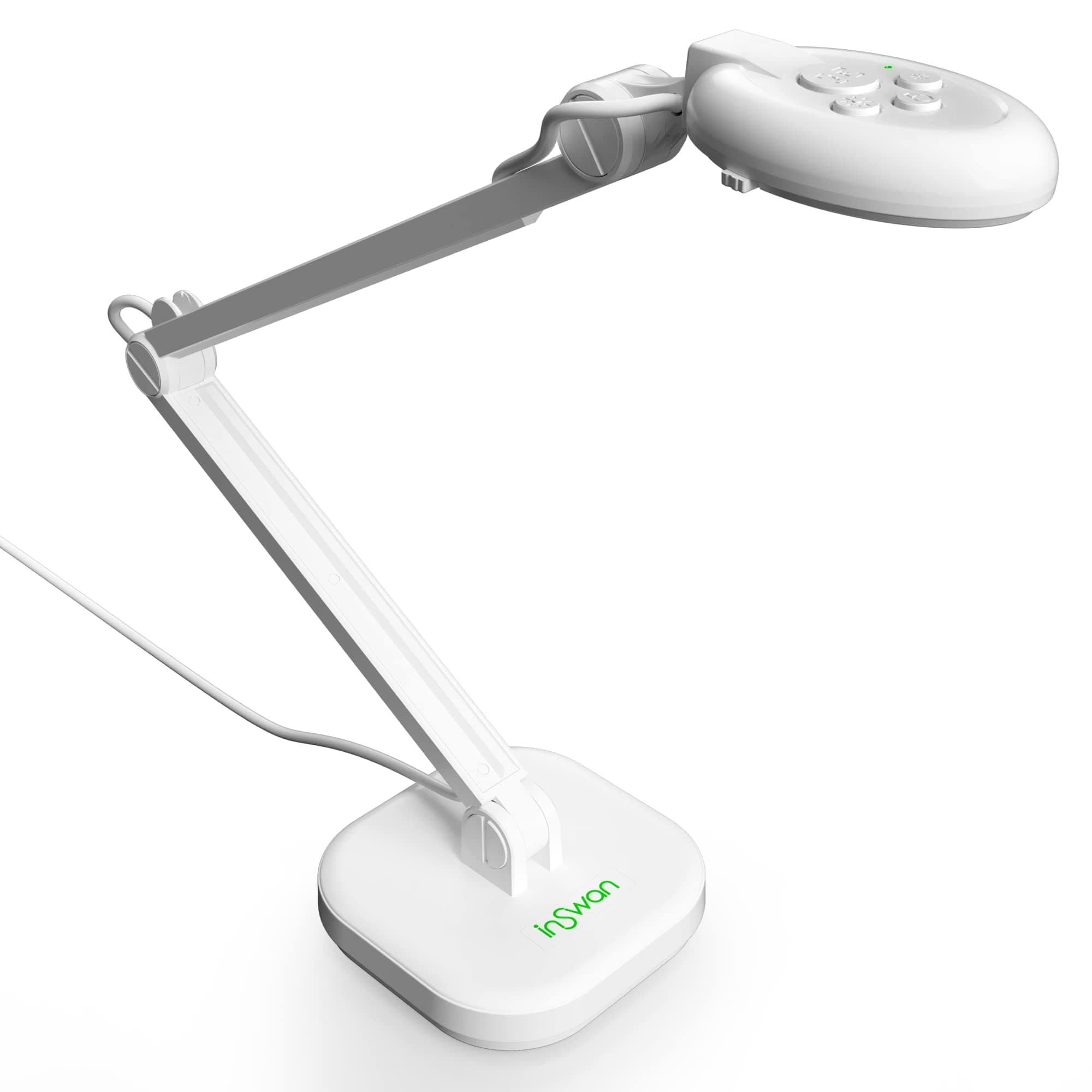




🚀 Elevate Your Visual Storytelling with INS-2 — Because Your Audience Deserves the Sharpest View!
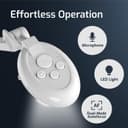
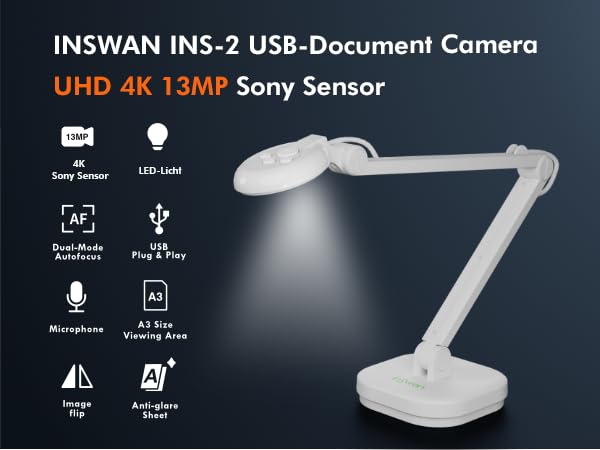
The INSWAN INS-2 is a professional-grade 13MP 4K Ultra HD document camera designed for educators and managers who demand clarity and flexibility. Featuring a compact design with an adjustable multi-joint arm for A3-size captures, dual-mode autofocus for static and moving objects, built-in LED lighting, and a stereo microphone, it ensures flawless presentations. Compatible across major platforms and enhanced by the powerful Documate software, it transforms teaching, remote meetings, and presentations into immersive, high-impact experiences.




| ASIN | B091CWP2JG |
| Aperture Modes | F2.0 |
| Aspect Ratio | 16:9 |
| Audio Output Type | internal |
| Audio Recording | Yes |
| Autofocus | Yes |
| Best Sellers Rank | 21,370 in Computers & Accessories ( See Top 100 in Computers & Accessories ) 178 in Webcams |
| Box Contents | Camera with USB-A cable, user guide, anti-glare sheet, microscope adapter |
| Brand Name | INSWAN |
| Camera Flash Type | no flash |
| Colour | White |
| Compatible Devices | Laptop, Desktop, Tablet |
| Connectivity Technology | USB |
| Continuous Shooting Speed | 15 FPS |
| Country of Origin | Taiwan |
| Customer Reviews | 4.5 out of 5 stars 3,529 Reviews |
| Digital Zoom | 16 x |
| Effective Still Resolution | 13 MP |
| Exposure Control Type | Manual, Automatic |
| Exposure control type | Manual, Automatic |
| File Format | MP4 |
| Flash Modes Description | Automatic |
| Flash Type | Internal |
| Focal Length Description | 25-30 millimeters |
| Focus Type | Autofocus |
| Hardware Interface | USB |
| Has Self-Timer | No |
| ISO Range | 100-3200 |
| Item Dimensions D x W x H | 30.8D x 9.3W x 8.1H centimetres |
| Item Weight | 1.06 kg |
| Light Sensitivity | 100-3200 |
| Macro Focus Range | 10 cm |
| Macro focus range | 10 cm |
| Manufacturer | INSWAN |
| Maximum Aperture | 2.8 f |
| Maximum Shutter Speed | 1 ou plus |
| Media Type | MP4 |
| Media type | MP4 |
| Minimum Shutter Speed | 1 ou plus |
| Model Name | INS-2 |
| Photo Sensor Technology | CMOS |
| Product Warranty | Our products come with a two-year warranty from the date of purchase. |
| Real Angle of View | 37.5 Degrees |
| Rear Webcam Resolution | 13 MP |
| Screen Size | 11.69 Inches |
| Sensor Type | CMOS |
| Shooting Modes | Multiple |
| Shooting modes | Multiple |
| Video Capture Format | MP4 |
| Video Capture Resolution | 4K (3840x2160) |
| Video capture resolution | 4K (3840x2160) |
| Viewfinder Type | LCD screen |
| Water Resistance Level | Not Water Resistant |
| Zoom Type | Digital Zoom |
S**E
Perfect for online teachers/tutors - but MUST use Documate software for best results.
My context is that I'm an online maths tutor. Working online I sometimes need to be face-to-face and sometimes I need to present documents. I've found a brilliant workaround to be able to do both at once: I have the main camera on the video conferencing app on me and this supplementary camera open in a new window and present that window. The Documate software opens the camera and I can simply present the image. Magic! This is what the blurb says: "Documate is our recommended software application to control your Inswan document camera. It provides powerful learning-enhancing features such as rotation, snapshot annotation, and video recording, allowing teachers to capture still and streaming images of 2D and 3D objects and display them on large monitors and projector screens. You can also use Documate to scan paper documents and extra text for editing through optical character recognition (OCR). " I'd agree that the Documate software is fine for all the things they claim. There's also a whiteboard function and you can import pictures AND you can save the pictures to albums or any folder you like. I was struggling with a supplementary web cam but it wasn't ideal. This is MUCH better. It has saved me time and gives me much more flexibility in the way I can present stuff. I am utterly delighted with the device ... and my students get a much better experience as well. If you are teaching/tutoring/lecturing online, you'll be delighted with it as well.
A**R
Works very well for photographing documents
Very pleased with this product. Have been using this the past couple of days to photograph documents onto a laptop in the National Archive in London. It has worked extremely well and several researchers have asked us about it. So, 100% happy.
N**K
Well made
Nice piece of kit
T**P
Good quality but prone to wobbling a lot.
I bought this for teaching English online and doing worksheets / grammar studies on paper with the student via zoom. The combination of light and camera are excellent and the vision of anything put under is fantastic. However there is a little and what must be a common problem. My desk is free standing on floorboards. Sadly between the floorboards and the legs the desk top wobbles just slightly when I am writing anything on the desk. This wasn’t something I had even noticed until setting up the camera and realizing that small movement was translating to a huge wobble on the articulated arm. The arm itself seems a little flimsy and it’s joints are also a week point. I will say that if my desk/table was perfectly stable (i.e. connected to or put against a wall) then this wouldn’t be a problem. But, as is, it’s something everyone needs consider if considering this product.
A**R
Brilliant!
I did my teacher training in a school with exceptionally high quality overhead cameras. This camera easily competes with other options that are far more expensive. You can reverse the shot, which I struggled to see in the description. I would highly recommend.
M**A
Excellent quality and easy to install
Using as a language student. Excellent quality and easy to install
S**E
Would definitely recommend.
A great product, very good for online teaching.
A**N
Not good for scanning Booklets
When software has been installed (available from Inswan website, download both main software and Twain to be certain Windows will recognize the camera) and camera connected, a dialog box appears "to use this app, open privacy settings and change the settings to allow this app to use your camera and microphone" this is referring to the PC settings; Start/Settings/type camera/select camera privacy settings/choose ON to both settings. Restart software and camera will then connect. When it comes to scanning Books/Booklets, its a real pain, because there are 3 adjustable parts, lining them up to match the scanning area is a nightmare. Each time the booklet did not come out rectangular as i could not align them properly and if i could get it right I would have to do this each day. Inswan should have included a base or mat with alignment markings to make this easy and with the camera headpiece there's no way of telling if it is fully level over the pages, and such the images are warped, this should have a locking-in-place mechanism or similar to let the user know its level. The term Document Camera should be removed from the listings. If your looking to scan booklets keep looking elsewhere. It could also do with an on/off switch as I have it plugged into the rear of my PC so the indication light is always on. The image quality though it is very clear, my flatbed scanner image though is way better. I am now using this primarily for taking scans of my Coin Collection and Mineral and Gemstone collection for which it takes great quality images. But as a Document Camera I cannot recommend it. It's not worth the price I paid for it. Looks like I'll have to go back to a flatbed scanner for my booklets, slow but at least there's no alignment needed.
TrustPilot
1天前
2 个月前