We remain fully operational. Our teams are working around the clock to ensure your deliveries continue safely.

下载应用程序



Buy anything from 5,000+ international stores. One checkout price. No surprise fees. Join 2M+ shoppers on Desertcart.
Desertcart purchases this item on your behalf and handles shipping, customs, and support to SINGAPORE.
💼 Secure your legacy with speed and space — because your data deserves the best!
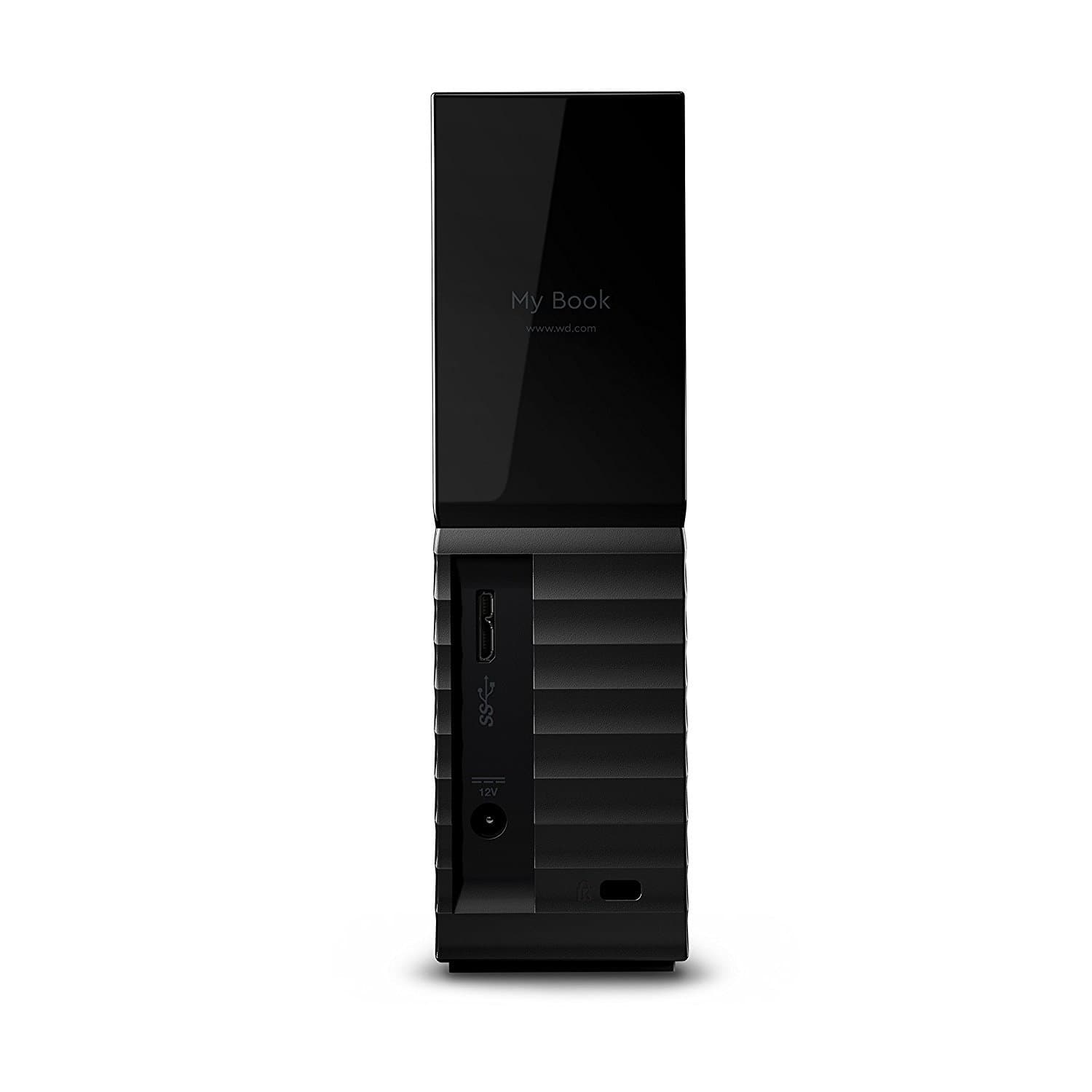
The Western Digital 8TB My Book Desktop External Hard Drive combines massive storage capacity with USB 3.0 SuperSpeed connectivity and robust 256-bit AES hardware encryption. Designed for professionals and creatives alike, it offers seamless backup software compatibility and trusted WD reliability, making it the ultimate desktop storage solution for safeguarding your most valuable digital assets.


| ASIN | B01LQQHLGC |
| Additional Features | Not_Performance_Used |
| Best Sellers Rank | #14 in External Hard Drives |
| Brand | WD |
| Built-In Media | Desktop hard drive^USB 3.0 cable^AC adapter^Quick Install Guide |
| Cache Memory Installed Size | 8 |
| Color | Black |
| Compatible Devices | Desktop |
| Connectivity Technology | USB |
| Customer Reviews | 4.4 4.4 out of 5 stars (13,381) |
| Data Transfer Rate | 5000 Megabits Per Second |
| Digital Storage Capacity | 8 TB |
| Enclosure Material | plastic |
| Form Factor | Desktop |
| Global Trade Identification Number | 00718037850764, 00718037893228 |
| Hard Disk Description | Desktop |
| Hard Disk Form Factor | 3.5 Inches |
| Hard Disk Interface | USB 3.0 |
| Hard-Drive Size | 8000 GB |
| Hardware Connectivity | USB 3.0 |
| Installation Type | External Hard Drive |
| Item Dimensions L x W x Thickness | 1.9"L x 5.5"W x 6.7"Th |
| Item Type Name | WD My Book USB 3.0 desktop hard drive and auto backup software,8 TB (WDBBGB0080HBK-NESN) |
| Item Weight | 2.96 Pounds |
| Manufacturer | Western Digital Technologies, Inc. |
| Media Speed | 400 MB/s |
| Model Name | My Book |
| Model Number | WDBBGB0080HBK-NESN |
| Number of Items | 1 |
| Specific Uses For Product | Personal |
| UPC | 718037850764 718037893228 |
| Unit Count | 1.0 Count |
| Warranty Description | 2-year limited warranty |
M**E
A real lifesaver! Would buy 20 of them if I needed to!!!
I have to give this drive mad props. I've been a My Book fanatic for years. I have rarely if ever had a serious issue with any WD drive in almost 30 years. I just keep buying bigger and bigger ones and they just keep going. I buy new drives and back up everything from the older drives to the newer drives as they continue to get huger and huger in capacity, and as I record and capture more and more data. These My Book and Elements drives have been phenomenally reliable. I have the RAID pair versions, too. Love 'em all! So I'm pretty multiple-backed-up. But here's what I have to tell you about this one... I was house-sitting for a good friend over the 4'd o' Jeely holiday this year. They have an old Weimaraner whose getting up in years, so she's not much trouble, but last Christmas they got a new maltipoo who is CONSTANTLY all over that poor old dog with her ridiculous puppy energy! As usual, I set up my headquarters with my work laptop (much newer and way more powerful than my home laptop) at their dining room table with the power cables for both the computer and the hard drive running over to the wall. It's never been a problem before. Early on in the week, I had an inkling that I might not want to have the power cables hanging off the table like that this time, but I didn't do anything about it right away. Well, the next day in the early evening, I was standing near the table. There was a sudden rustling and the dogs tore between the table and the wall, and I heard a loud, reverberant CRAAAASH!!!! It took a couple seconds for the sound to completely die away in their large, open house. I immediately knew what it was. Sure enough, as I looked at the hardwood floor, it was indeed my hard drive that had slammed against it. I was so P.OOOOOOO.d!! I've had the drive since February, and there was almost 6 Terabytes of data on it, which, as you probably know, represents a significant time investment just in getting that data on there, to say nothing of what was involved in actually collecting and producing said data! But as it is an external USB drive, I knew it was spun down since I hadn't been at the computer for a while, and I fully expected the drive to be functional when I plugged it in. I've dropped drives before. Especially inside a plastic case, not spinning, they can take a VERY HARD drop and still work flawlessly for years. I've done it before. Well, imagine my horror when I didn't even get a drive letter when I plugged it back in! This detail becomes important later. It spun up and made its little chipmunk noises and sounded normal, but it made somewhat of a funny short squeal whenever I torqued it a bit, so I thought some severe damage must have occurred! My heart sank a bit, but I wasn't TOO mortified, because I still had this drive's primary at home. This drive was used as a backup, and it's also the one I take out in the world when I want to have my personal data with me, wrapped securely inside my clothes in a suitcase, or in the backpack I wear as a kind of digital Go Bag that I take to work every day. It was nearing 11 p.m. as I somewhat nervously made my way home about 15 minutes away to pick up the primary. I started thinking about what could go wrong. I could have a car accident. ANYTHING. This pair of drives basically contains the last two years of everything I've recorded (I'm a sound guy and I play the sitar live, sing in my church choir and basically record my entire life, as well as events of friends and others, LITERALLY almost 24/7), all my photos (I'm a photographer and take thousands of photos per month), a videographer, with hours of footage casually captured, and sometimes not-so-casually, and many other collections of data from all over my life. I am a VERY data-intensive person and have been for most of my sentient existence. I'm also a programmer. I've been backing up for a few decades. I have a suitcase full of old hard drives that must weigh at least 100 pounds. Yeah, I don't have a third geographic redundancy for all my data, and I'd be pretty screwed if my house burned down, but hey... I am easily WAY more backed up than 99.999% of people in the world. So as I came home to get the main drive, my biggest worry was just getting it backed up again before something else could happen. I decided to do the backup, using the work laptop, to a new 8 TB My Book drive, which I had already had one-hour rushed to me at my friend's house via Amazon PrimeNow. (I LOVE that service!!!!) This is because the work laptop has USB 3 ports and the copy would go MUCH faster than on my home laptop, the venerable old Qosmio that I've had since 2010. Yep... it's still going strong and I still love it. But sadly, it only has USB 2 ports (until I recently added a PCMCIA USB 3 adapter which you can read about in another of my reviews... yes, I said PCMCIA!!!). I got home and picked up the 6 TB (ALSO WD My Book) hard drive for which the 8 TB drive was the backup. Here's where I will shamefully admit that I have a LOT of stuff on that drive that I never even copied over to the new 8 TB drive, just because I never did, I guess out of sheer laziness. Even when you're slightly paranoid like me, you can get complacent when things just work and work and work for years. So I was a little nervous about all this. I toyed around in my mind with thoughts like "What if I plug it in and it just doesn't work?". NAAAAAAAH! What are the odds? I was just using it the day before. And I've even used it on that work laptop before. Everything's going to be fine! Well, wouldn't you know... I got back to the friend's house with that drive and plugged it into the laptop, and a popup dialog came up with some weird drive letter saying it needed to be formatted to be used!!!!! I almost lost it!!! I brought up the Disk Management app and it looked like it had 3 RAW partitions on it instead of the single 6 TB properly-formatted one that should have been there! Something somewhere had gone VERY wrong!!! To this day, I don't know what happened to that drive. I started asking myself why I didn't simply do the smart thing and fire it up at home and just do the backup there, slowly and safely. But I knew I was stuck at this remote location for a week and would want to babysit the whole process, so that's what drove my decision. This may sound ridiculous to most people, but this situation threw me into a serious existential dilemma. I have spent my entire life capturing recordings of sound, video, photography, EVERYTHING. I'm 51 now. I've been at it for decades. I was facing the possibility of just having lost all my recordings of my church choir for the past two years... all my live sitar performances... two years of amazing photographs from all aspects of my life and places I've been and experiences I've had and people I know and those whom I have randomly met and photographed. Two years of that 24/7 recording of my life I mentioned before. Yes, I literally carry a Sony stereo sound recorder with me everywhere I go and it records my entire life! In that space and time, I started questioning what was the point of my entire life if it was this easy to lose so much data that I had spent so much time and effort capturing and preserving and supposedly backing up. I am fortunate in that I have lived as a somewhat social hermit for most of my life. Even when I was married for seven years (1995-2002), people accused us of just being TWO hermits living together. I like to be alone. There's only so much of being around other people that I can take before I have to retreat back to my fortress of solitude. But that can be very lonely, too. And that's why I love capturing life in so many ways, because I am alone enough that I am amazed to see people and nature and life and the world around me. I feel compelled to record it. Then I can study it and re-live it in microscopic detail when I am alone... a kind of detail that most people don't even know exists. In the past few years, I have returned to a life with faithful Believers around me, after 35 years of having walked away from my faith in God and Christ. Jim, the husband of my church choir director, is a data recovery specialist. (Holy Spirit at work here, right?) I called him and told him my dilemma. I drove the new 8 TB drive and the 6 TB drive over to him. I talked to him and his wife, my great brother and sister, about what if I don't get this data back? I've been having crazy thoughts about why I even do all this? Should I go off and become a monk? Should I pour myself into the sitar and just forget about recording things ever again? Should I call up the girl I've been madly in love with for over two years, who is unable to even fathom a desire for an intimate relationship (think of a female version of Sheldon Cooper from Big Bang Theory) and just propose to her? Did I even want to continue to live??? I was in a crazy kind of way!!!! So Jim tells me not to worry and that he'd look at it. Sometime the next day, he was able to call me up and tell me that all the data was still there, and that he was copying it to the new drive. Incidentally, he only has USB 2 ports on his recovery machine, so it was a several day process!!!! I razzed him about that a bit. But you know... he got all the data off that drive and onto the new one... the new WD My Book 8 TB drive, the PrimeNow page of which I think I'll also post this review to so it will be backed up!! :-) He couldn't figure out why he wasn't able to fix the partition table, even though his software recognized it as a single NTFS partition and was able to fully recover the data without any hiccups. It's still sitting on the floor of my room here. I don't dare reformat it and recopy the data to it until I have fully backed up the data from the new 8 TB drive to yet another drive. (Yes, here I am weeks later and I am just now starting that process! Hence I still have the 6 TB acting as a KIND of backup for now.) So, I mentioned backing this stuff up to yet another drive. "And what drive might that be?" you ask. Why, the OTHER 8 TB WD My Book drive that got slammed on the floor! That's the reason for this huge 5-star review. Remember I mentioned that when I plugged it in I didn't even get a drive letter? That really struck me as strange, because the drive letter usually still shows up, even if the drive is completely trashed. It will simply give you a bunch of errors and data failures when you try to access it. It really seemed more like an interface issue than a hard drive issue. Having nothing better to do while I waited for my data to come back, I had disassembled the 8 TB drive from its plastic case, thinking maybe there was some issue with the circuit board that connects the drive and its SATA interface to the outside world with a USB interface. I disconnected the little board and re-seated it to the drive and jiggled the plug in the connector, all to no avail. The drive still didn't come up on the computer. So several days later, the day I was done house-sitting, Jim announced the copy was finished. I picked up the drives. When I finally got home, I plugged the new 8 TB into my laptop and it came up and there was all my data, as promised. What a relief! Next, I took the dropped drive completely out of its enclosure, still not convinced that it was dead. I mean, even the brand new 8 TB drive that I had just bought made that funny little squeal when I torqued it a little bit while it was spinning, so it was a completely normal sound! When you own a ton of drives like I do, you have a lot of bare ones that came out of tower computers, or even some that were taken out of external drive enclosures. They are much easier to manage that way, and take up a lot less space. But you have to have a way to access them, and one way via a hard drive bay. That's a device that lets you plug a bare hard drive into a slot and it interfaces to your computer via USB or maybe eSATA. Well, I halfheartedly plugged the drive into the bay and turned it on, and what do you know... good old Drive P: came right up on the computer as if nothing had ever happened! It's still going like gangbusters. 5-stars, my friend! I lost NOTHING during this calamity. Yeah, I have to admit, I even had a bunch of stuff on this drive that wasn't backed up anywhere else, too. But I consider a lot of that to be expendable because it's more of a time investment than a life investment. It's stuff that can be retrieved again from elsewhere. The moral of this story is this... and I know this full well, of course, as do a great many of you... BUT... ONE BACKUP of important data is NEVER enough! Think about it. If you lose your backup, or your primary for that matter, then you are down to ONE COPY. And if something... ANYTHING... goes wrong with that... you are in the same boat as all those people you have shaken your head about over the years who didn't even bother to have ONE backup and lost everything. The only real backup is AT LEAST TWO backups, and one of those is tucked away in a safe, remote location. That way, your house can burn down and you still don't lose anything, except for the stuff you created since you last updated your remote backup, which you have to do from time to time, of course, preferably not in the presence of the third drive, since you don't want all three of them to be together at the same time. You never knew when disaster will strike, right? Look what almost happened to me!!! This is just a silly review of a hard drive on Amazon, but these drives contain years' worth of the very product of my life. And I am here to tell you that I trust them and I count on them and they have not let me down, even when under extreme duress. What more do you need to know? A quick postscript here... before I went to get my drives back, Jim had asked me to grab some dinner for three at a local Italian restaurant as payment for this service (he usually charges people $500 for this kind of recovery!). His wife had had a foot surgery recently and they were depending on friends to bring them meals for a time. When I got there, they had set up their formal dining room with their best china and a bottle of white wine. We ate like royalty that evening. That's the power of friends and the power of faith!
S**S
Great storage at a great price
Works well although I did get my it guy to set it up. Great capacity and a good price
S**I
great drives never had a problem with failures or reliablity
whew, worried because of the reviews. well to sum it up.. i have these drives from WD MY BOOK: 750GBx1, 3TBx3, 4TBx1, 6TBx1, 8TBx2 (one older one newer type). and two toshiba usb external HD. (3TB and 2TB) out of all these drives only one has failed (so far). the 750 my oldest and first drive failed when i knocked it off the table while spinning. it worked fine even then.. till i powered it down. the drop was 3 foot onto hardwood floor. once i powered it down it never worked again. spins blinks .. but does not read data. (don't drop your drive) (dont even move it if it is online). other than that i have never had a western digital my book hard drive fail. and i have never had a toshiba drive fail either. The only drawback to these type drives is they sleep if you stop using them. so it takes 5-10 seconds to spin back up if you wake them up. and if you have a newer drive god help you if you disconnect during a write and get a "dirty drive" on xfat partition (have to move data off, format drive, then move data back on to get rid of the file corruption. chkdsk wont work and dirty bit sets you to read only on every file on drive. If your not using xfat you might not have to go to this length. That said.. other than god help you if you get a write interuption on the disk with an xfat partition (latest new windows 8TB mybook used this and is now corrupt) these are very reliable drives. chkdsk not working on xfat with dirty bit set is a microsoft problem, not really these drives fault. but to fix this on my usb 2.o is 2 weeks of wriging to nother drive.. a format.. then two weeks of moving data back.. thanks a lot microsoft! The drives themselves are usb 3.0, but my desktop is not.
P**A
Installs Easily, Quiet, Large Capacity - But the First Drive I Received Failed Immediately
I purchased this 4 TB drive to use for Time Machine backups for my desktop iMac computer. The drive was recognized when first plugged in but I had to then use the included WD Drive Utilities software to format it correctly for Time Machine use. This took only a minute or two for the new drive. I should also mention that no instructions are provided with the drive although they are available online (there is a 'quick start' guide included but it doesn't provide any instructions other than the website address). Unfortunately, the drive failed after about just a day of use. Time Machine reported that it had not been able to complete the regular update. I dismounted the drive and powered it down, then remounted it. That worked for an hour or two, until Time Machine could not run the regular backup. I then tried the WD Drive Utility software to check the drive and it reported that the drive was bad and couldn't be repaired. At that point I submitted a return request to Amazon, asking for an exchange. The exchange turned out to be a painless process which is one of the great things about Amazon, I printed out a return label and dropped the drive off at the UPS store. My new drive was on it's way within a few hours after I had requested it, and I received it 2 days after requesting the exchange (I was probably fortunate that the drive failed so soon after I first received it - if it had happened a few weeks or months later, I would probably have had to submit the drive to WD for a warranty repair). I will hopefully have better reliability with the second unit, and I'll update this review to report on how reliable it is after I've used it for a longer period of time. My selection of this drive was based upon the review from the Wirecutter website. They recommended this WD My Book drive it as the best choice for an external desktop hard drive, based upon performance and price (noting that all of the drives they tested performed very similarly, so the determining factor in their recommendation was price and that this WD drive is the cheapest from "a trustworthy maker"). This WD drive also has a 3 year warranty, and in fact I purchased it to replace a one-year old Lacie drive that was starting to make disturbing noises. I plan to send that drive to Lacie for warranty service and then will have it as a backup to this backup. Thankfully large capacity hard drives are incredibly inexpensive these days. (Added note, 5/2/19: I began having problems with the replacement WD drive just a couple of days after installing it, very similar to what happened with the first drive. This time I decided to use the Apple disk utility program to completely erase the drive, and then to reformat it. I then installed it as my Time Machine backup disk, and it has worked fine since that time. I had done some internet research that led me to reports that WD's utility software was causing problems for some users, so I removed that program from my computer and will do all disk utility work using Apple's own utility program.)
O**Z
Tube un poco de problemas en la compra pero esto fue debido al banco, ya que arregle la situación gerere la compra y me llegó el producto al soguiente dia no me lo esperaba la verdad faltaban dos dias para que me llegara y me llego, el disco es una maravilla no hace ningún ruido y su escritura es rápida estoy encantado con este artículo y el precio es sorprendente compraria otro sin duda.
C**J
I'm a complete idiot when it comes to teckie things but it was so easy to install and set up. For the money I would highly recommend
J**L
Gutes Speichermedium. Nach meiner bisherigen Erfahrung sind die WD My Book Desktop Externe Festplatte, 1 TB und 2 TB sehr robust und langlebig. Ich gehe davon aus, das auch die 6 TB die selbe hohe Qualität besitzt.
K**Y
Only been using it for at least a month, but no issues thus far! Then again, I have only been turning it on, to store or retrieve data, and keeping it disconnected from the power when not in use, to preserve its lifespan as much as I can.
A**Z
Ok.
TrustPilot
4天前
1 周前