We remain fully operational. Our teams are working around the clock to ensure your deliveries continue safely.

下载应用程序


🚀 Elevate your home network to pro-level speed and coverage—don’t get left buffering!
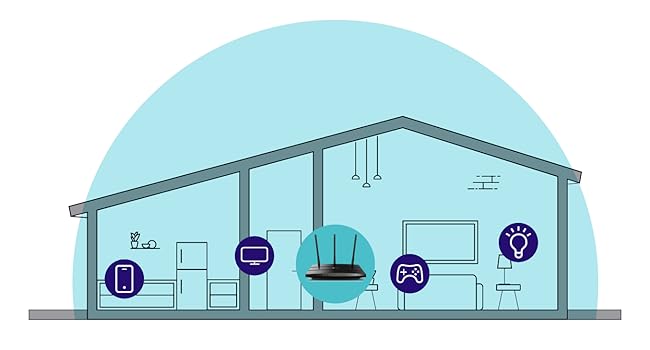
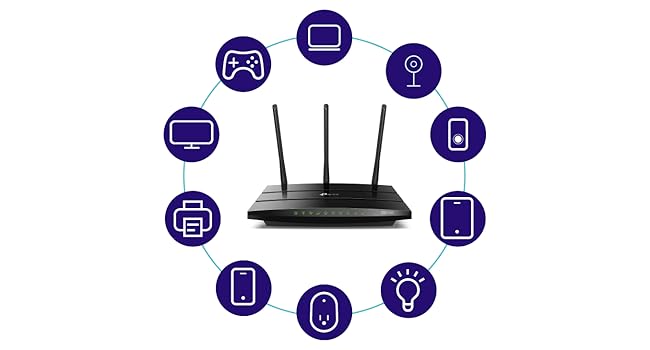
The TP-Link Archer C7 is a high-performance AC1750 dual-band router delivering combined speeds up to 1750 Mbps. Equipped with three external antennas and four gigabit LAN ports, it ensures expansive WiFi coverage and fast wired connections. Compatible with TP-Link OneMesh for seamless network expansion and managed remotely via the TP-Link Tether app, it’s ideal for 4K streaming, gaming, and smart home setups.

| ASIN | B079JD7F7G |
| Antenna Location | Home |
| Antenna Type | Fixed |
| Best Sellers Rank | 125,262 in Computers & Accessories ( See Top 100 in Computers & Accessories ) 939 in Routers |
| Box Contents | AC1750 Wireless Dual Band Router Archer A7, Cable Quick Installation Guide, Power Adapter, RJ45 Ethernet |
| Brand Name | TP-Link |
| Colour | black |
| Compatible Devices | router |
| Connectivity Protocol | Wi-Fi |
| Connectivity Range | 1500 Square Feet |
| Connectivity Technology | Wi-Fi |
| Control Method | App |
| Controller Type | amazon_alexa |
| Coverage | Medium to Large Home |
| Customer Reviews | 4.4 4.4 out of 5 stars (68,533) |
| Data Transfer Rate | 1750 Megabits Per Second |
| Frequency | 5 GHz |
| Frequency Band Class | Dual-Band |
| Global Trade Identification Number | 00845973083861 |
| Is Electric | Yes |
| Is Modem Compatible | No |
| Item Dimensions L x W x H | 24.4L x 16.1W x 3.3H centimetres |
| Item Weight | 0.93 Pounds |
| LAN Port Bandwidth | 1000 Mbps |
| Manufacturer | TP-Link |
| Manufacturer Part Number | Archer A7 |
| Maximum Upstream Data Transfer Rate | 875 Megabits Per Second |
| Model Name | TP-link AC1750 |
| Model Number | Archer A7 |
| Number of Antennas | 3 |
| Number of Ports | 5 |
| Operating System | RouterOS |
| Other Special Features of the Product | Dual-Band, 802.11ac Wireless Standard, Detachable Antennas |
| Security Protocol | WPA2, WPA3 |
| UPC | 845973083861 |
| Unit Count | 1.0 count |
| Voltage | 120240 Volts |
| Wireless Compability | 802.11ac, 802.11b, 802.11g, 802.11n |
M**H
Great router although now obsolete
I bought this to add to another TP-Link Archer C7 I bought a couple of years ago with the aim of putting OpenWRT on it. I discovered this model was now no longer made but ordered it anyway since OpenWRT is known to work on it. However, it is an American model with a USA power supply (it came from Florida) but that is no problem with a UK adapter. The router is also an Archer A7 which apparently is identical to the Archer C7 according to the OpenWRT site. Seems to be working fine.
N**L
Good item. Wrong plug
It was easy to setup. Works well in my garden room. The only problem I had was that it came with a US plug on it. So I had to get a adapter uk to us adapter.
A**R
Compré este router después de regresar un TENDA AC1200 que no cumplió con las expectativas, conexión lenta en ambas bandas y con puertos fast ethernet que no dan la velocidad contratada con Infinitum (150 Mb). Este router tiene mejor calidad de materiales y hasta ahora ha cumplido con lo que esperaba, solo que sigue siendo lenta la conexión en la banda de 2.4 Ghz (no sube de 30 en las mediciones de velocidad, aun a pocos metros). En la banda de 5 Ghz, ya es otra cosa, se obtienen 200 Mb de descarga en dos de los cuartos, lo cual es excelente. Los puertos son Giga-bit y permite conexiones de hasta 1000 Mb, en los cuales conecto el AppleTV y el PlayStation. Lo innovador y que me gustó mucho de este router son dos cosas: - Maneja una sola señal de 2.4 Ghz y 5 Ghz, Conexion Smart, que permite a tu dispositivo conmutar automáticamente la conexión a la banda de WiFi que proporciona mayor velocidad. Es decir, salvo que deshabilites esta función, no veras dos señales (2.4 Ghz y 5 Ghz) de manera independiente y el dispositivo se mantiene conectado a una sola señal y conmuta entre ambas bandas. Con otros routers, normalmente te conectas/seleccionas la de 5Ghz, por ser la más rápida, pero tan pronto se debilita la señal salta a la de 2.4 Ghz y allí se queda, por ser una señal más fuerte (pero más lenta). - El Archer A7, con hardware V5, viene habilitado para la función OneMesh, que te permite agregar, dentro de una misma red (nombre y password), repetidores (compatibles) para armar una red inalámbrica en tu casa (mesh), cosa que otros proveedores ofrecen a precios exorbitantes. No tiene tecnología Mu-Mimo para conexiones múltiples simultaneas a mayor velocidad, pero creo que sigue valiendo mucho la pena este equipo.
K**R
I just finished installing the A7 TCP-Link 1750AC router replacing a 6 year old Linksys E2500--having had to replace my modem earlier in the week after it failed and went into a reboot loop. The Linksys worked but not reliably of late and it was slow for a dual band router. I opted to use the quick install and then tweak later using the full featured web interface. The install using TP's Tether app from my iPhone worked but not without a few missteps--a failure to connect to the router at first using the 5G SSID worked once I tried with the 2.4G. A second hiccup occurred when binding the router--it froze and I had to go back and repeat the step. I could have just logged in to the router from a laptop but wanted to see how well the app worked. I highly recommend this approach for newbies--as the steps involved and required knowledge of how routers work could prove a bit daunting for a total novice. That said, once installed and configured with the same SSID and password as my old router to save having to reconfigure a lot of devices (including a Netgear extender) everything worked and the entire process took less than 45 minutes. Once I had everything working I logged in to the full web app giving me access to the router through a thoughtfully designed interface . I made my security tweaks, set up a guest network, enabled Alexa control and tested every device to be sure all was in good order and then made a backup of the configuration--having been forewarned that a firmware upgrade would cause me to lose what I had just done. As it happened a firmware upgrade was indicated so I chose the automatic upgrade option but to my surprise everything stayed intact iso I did not have to resort to a restore from the backup--still I am a belt and suspender guy having sent too many years in IT and learning the lesson early on that what can go wrong will. So--the big payoff was the throughput. I used an app called Speedtest and was a very pleased to see a 3x improvement in download-regardless of which server I selected. Upload was slightly better but that is not generally an issue. My TV, Sonos products, 2 iPhones, extender, 2 computers and 2 Kindles all worked without any changes needed ( the virtue of keeping my SSID and passwords the same as before). Performance is obviously much improved. I would have given this a 5 star but for the two hiccups and a little more clarity in the basic quick setup about a few functions. Otherwise as the title say it was a near perfect install and if this router lasts as long as the linksys. Range has also improved greatly and I may not need the extender to get from the router to the most distant room but as the router is in a utility closet where the modem, Sonos bridge and a few other devices live I'll keep it up. Our house is about 2,500 sq. ft if that gives you an idea of range. The signal is robust from every room.
P**P
I picked up the TP-Link Archer AC1750 when our old router died, and it’s been a fantastic replacement ever since. The range is really solid, it easily covers multiple floors in my house, and I actually have two of these running: one downstairs connected directly to the internet, and one upstairs acting as an access point linked with an ethernet cable. This setup has kept my whole house covered with strong, stable Wi-Fi. Build quality is great, feels sturdy and not flimsy like some cheaper routers I’ve tried. Security has been solid, and I still see firmware updates being pushed out, so it’s nice knowing it’s not abandoned. The router is fast to reboot or reset (about a minute or less), and the interface is loaded with customization options if you dive into the advanced settings. You can set up a DMZ, tweak security, and more. One big tip: always turn off beamforming on this router. In my experience, enabling beamforming actually throttled my speeds and reduced performance, so I keep it off for better throughput. I’ve always been a fan of TP-Link, aside from this router, I use their security doorbell cam, Wi-Fi dongles, and range extenders. Their products have always been reliable and long-lasting for me. Overall, the Archer AC1750 is a great buy for anyone looking for a dependable, full-featured router. Lots of customization, excellent range, and it just keeps working long after you set it up. Highly recommended!
D**D
Estoy super contento con este producto. Mi Internet a cada rato se caía, el proveedor nunca pudo arreglar la situación hasta que vi un video que realmente lo que recomiendan es cambiar el router. Así que lo hice. y ya no he tenido ningún problema con el Internet. El Internet en dos bandas esta excelente, te permite la conexión inteligente para que dependiendo de la posición de tu dispositivo tome automáticamente la mejor banda para la conexión en el momento. Esta muy completo el producto, también tiene una opción de que conectes un dispositivo de almacenamiento que sirve como un disco duro compartido. Muy fácil instalación.
M**L
Súper fácil de instalar y configurar ya sea con la app del celular o en la página web de configuración. El rango de potencia es muy bueno para la banda de 2.4 GHz y la e 5 GHz mantiene buena velocidad de streaming de audio y video, pero l orecomiendo para dispositivos solo de streaming, y la de 2.4 GHz para navegación en internet simple. Lo malo que el servidor de impresora (conectada en USB para hacerla WiFi) no funciona bien. Aunque ya la he configurado pero luego se queda como "desconectada" en el print server de TP Link instalado en la PC, auqnue en la configuración del router si la detecta contectada.
TrustPilot
3 周前
1天前