We remain fully operational. Our teams are working around the clock to ensure your deliveries continue safely.

下载应用程序


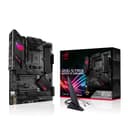
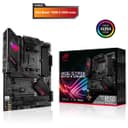
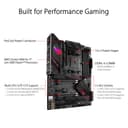
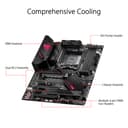
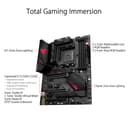

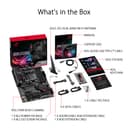
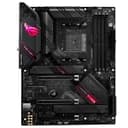
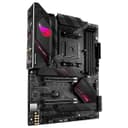
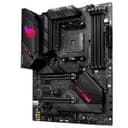
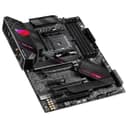
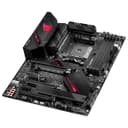
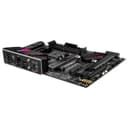
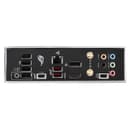
🎮 Level up your build with ASUS ROG STRIX B550-E — where power meets precision.
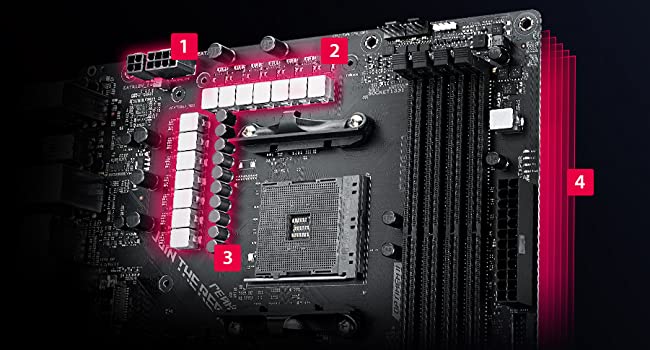
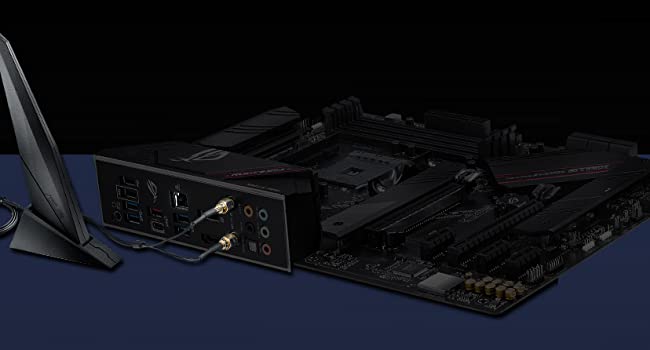
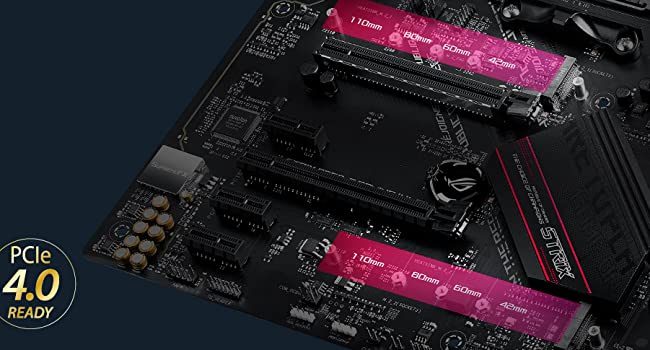
The ASUS ROG STRIX B550-E GAMING motherboard is a high-performance ATX board designed for 3rd Gen AMD Ryzen CPUs, featuring PCIe 4.0 support, dual M.2 slots, and advanced connectivity options including WiFi 6 and 2.5 Gb Ethernet. It supports up to 128GB DDR4 RAM and offers robust power delivery with premium components, all managed through an intuitive BIOS and AI-driven software for optimal gaming and professional workloads.



| ASIN | B089HFNQ1G |
| Are Batteries Included | No |
| Batteries | 1 Lithium Ion batteries required. |
| Brand | ASUS |
| Colour | B089HFNQ1G |
| Computer Memory Type | DDR4 SDRAM |
| Connectivity Type | Wi-Fi |
| Customer Reviews | 4.6 4.6 out of 5 stars (7,655) |
| Date First Available | 1 Aug. 2020 |
| Form Factor | ATX |
| Graphics Card Interface | PCI Express, PCI-Express x16 |
| Guaranteed software updates until | unknown |
| Item Weight | 900 g |
| Item model number | 90MB1470-M0EAY0 |
| Lithium Battery Energy Content | 2 Kilowatt Hours |
| Lithium Battery Packaging | Batteries packed with equipment |
| Lithium Battery Weight | 2 Grams |
| Manufacturer | ASUS |
| Maximum Memory Supported | 128 GB |
| Memory Clock Speed | 2133 MHz |
| Memory Technology | DDR4 |
| Number Of Lithium Ion Cells | 5 |
| Number of Ethernet Ports | 1 |
| Number of HDMI Ports | 1 |
| Number of Lithium Metal Cells | 5 |
| Processor Socket | Socket AM4 |
| Processor Type | Ryzen 3 1200 |
| Product Dimensions | 30.5 x 24.4 x 4 cm; 900 g |
| Series | ROG STRIX B550-E GAMING |
| Wattage | 100 |
| Wireless Type | 802.11ax, Bluetooth |
I**N
Solid B550 motherboard
After finally deciding to bite the bullet and upgrade my 8 yr old 3570k workhorse, I settled on AMD as it's a clear winner for performance per £, even against the new 10th gen Intel core CPUs. A bit of research made it clear that the B550 chipset was the way to go: enough future-proof features without breaking the bank. And with my old Intel system being rock-solid on an Asus board for all those years, there really wasn't another brand I'd trust. The Asus B550-F Wifi board stood out for a number of reasons - Passive cooling - no tiny active fans buzzing away on this board to keep the chipset cool. - Solid VRM - I must admit, the whole VRM thing really seems like it's a topic for elite gamers and high-end overclocking. But for a machine that spends most of it's life running 3 instances of Visual Studio, 12+2 seems like it'll be enough to keep the CPU happy. - PCIe 4 support - I've dropped a gen 4 NVMe drive in: I thought I'd arrived in the future when I went from a spinning rust drive to a SSD: now I know I was wrong. This is Fast. Build was as straight forward as these things tend to be: inclusion of some cable ties was nice : plus you get stickers and lighting cable adaptors too, if that's your thing. BIOS is fairly easy to navigate - more or less ready to go on first boot, save for a couple of tweaks to enable virtualisation and XMP memory profile for me. Final plus point would be for the included AI Suite - it's active fan management is great - my new 3700x with it's stock cooler sits at a comfortable 50 C most of the time, with all the fans barely audible.
M**S
Ideal for builds
Amazing price, I have had the Asus trix x670e-f and now b550-f, both have been great motherboards, nothing wrong with the b550 board, if you get it on discount price, it's worth it for the higher ram speeds than b450 and ,Ryzen 5000 series bios installed prior to sale
B**G
Just what you need with an AM4 Chipset
I know this is going out fast as has been replaced by latest gen motherboard for the 7000 series onwards but this motherboard performs impeccably for the 5000 series chips which good comparability on PCIE 4.0, user friendly bios albeing normally heavily criticised and unfairly at that. Reasonable power draw, two pcie slots and comparable with AM4 chips. Great value for a great motherboard.
B**Z
👍🏻
Great piece of kit
A**I
Good board if you know what you are doing
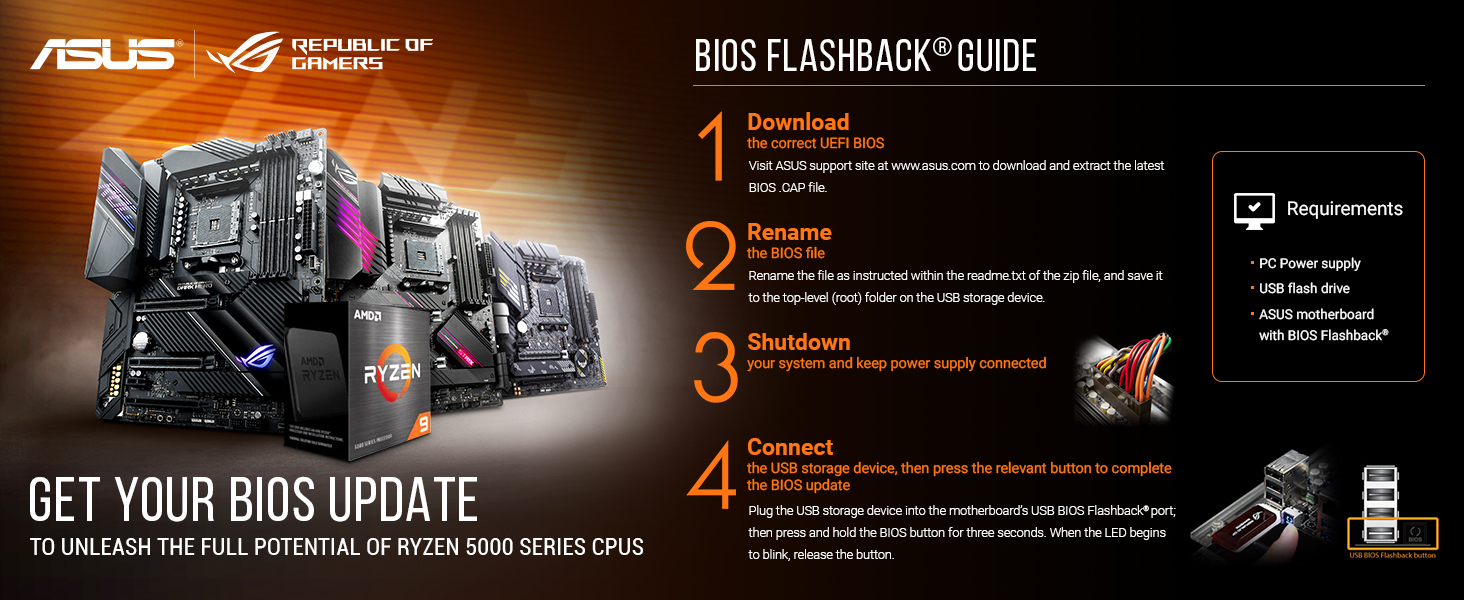
I was replacing my good old Ryzen 1600 with shiny 5600X, and as part of an upgraded needed a new motherboard. I was leaning towards a board from ASROCK, which I trusted for almost a decade, however this time I thought I'll give ASUS another try. I used to build computers for living and have used nothing but ASUS between 2005 and 2009. I switched vendors at that time, because of multiple quality issues I had with ASUS. First thing to know about this board is that it does not support Zen3 CPUs out of the box. You will need to update the BIOS before you even be able to see the POST screen. This is the case with many motherboards on the market, but at least there is a solution to the problem. The update procedure is simple - you just download BIOS ROM file from the website and put it on a FAT32 flashdrive, then plug it to a particular USB port, press a button an away you go. Or at least this is how it is described in the manual. In reality - there is very little feedback from the board about the update process, and a blinking light does not really tell much, so be patient, the process might take up to five minutes. Once you are done, you can boot to BIOS and OS. The next challenge was that after booting to the OS, none of the drivers were there. Well... the network drivers. ASUS has provided a CD, but it's 2021, very few of us who still got optical drives in their machines. I used a good old ALFA AWUS036NH USB wifi card to get on the net, and windows update has downloaded all the necessary drivers to get me going from that point. I then went to ASUS website, to download the latest ones, and out of all the drivers it was only chipset that installed successfully, however it was one major version behind from that available on AMD website. Realtek Audio drivers - would not install because of "network path error", AI Suite said the board is not compatible. From that point onwards the system worked perfectly fine. A good reminder is that built-in bluetooth is using the wifi antenna, so make sure you connect it, before trying to connect your headset. Overall my impression so far is good - CPU performs within expectations, memory XMP profile works fine, graphic card performs well, M.2 works good, so does all six SATAs SSDs and HDDs. The board looks nice and neat. To summarize main reasons why I picked this board: - it had a way to flash bios for Zen3 CPU without having to install Zen2 CPU - it is a future proof board with PCIe4 - It had built in Bluetooth5, which was better than using one of those ugly usb dongles - it had 6 SATAs, which was important for me - and I was probably to tired after spending an evening reading and comparing various other boards I still yet to find what is so GAMING about this board
R**N
Very good mb a little bit pricy but worth it
L**X
J'ai acheté cette carte-mère pour remplacer ma TUF B550M qui a eu un soucis de court-circuit. La ROG m'a permis de mettre 4 barettes de ram DDR4 3600 C16 ( 4x8 ) alors que la TUF plantaient au delà de 2 barettes. J'ai vu ici que la qualté du circuit imprimé n'est pas la même sur les 2 séries. La partie son est aussi de meilleure qualité. Dorénavant je resterai sur cette gamme chez Asus.
P**O
New PC build. Board worked right out of the box. No issues at all! Easy install and bios is great.
I**K
GREAT working
J**T
Nach über 12 Jahren Intel, habe ich mich wieder für ein AMD entschieden. Meine Kombination: ASUS ROG Strix B550-E Gaming mit Ryzen 3600. Da die CPU mit einer Wasserkühlung betrieben wird, benötige ich den tollen Wraith Steath Kühler nicht. Deswegen habe ich mich für den "kleinen" 3600 entschieden anstatt eines 3600X. Zuerst war ich ein wenig verwundert über die höheren Preise der B550 Mainboard, doch nachdem ich mich in die Thematik "Ryzen-CPUs vs Mainboards" eingelesen habe, ist es zum Teil gerechtfertigt. Grundsätzlich sind die B550 Mainboards sind qualitativ deutlich hochwertiger und besser ausgestattet als die Vorgänger-Generation B450. Besonders wenn man vor hat eine 12 oder 16 Kern CPU jetzt oder später zu verbauen. Wer mehr dazu wissen will, es gibt hierzu unzählige Berichte im Netz. Für mein neues Mainboard waren mir folgende Punkte wichtig: Exzellente Spannungsversorgung (für ein späteres Upgrade auf 12 oder 16 Kerne CPU) 2,5Gbit Netzwerk-Anbindung mit Intel Netzwerk-Chip WLAN nach 802.11ax/ Bluetooth 5.xx (Wifi 6) UEFI-BIOS mit vernünftigen Einstell-Optionen Passive Chipsatz-Kühlung Platinen-Layout (PCIe-Steckplätze) Preis bis max. 250€ Dies Alles erfüllte das ASUS ROG Strix B550-E Gaming Die Kurzfassung Das ASUS ROG Strix B550-E Gaming ist ein tolles, qualitativ hochwertiges Mainboard mit sehr guter Ausstattung mit Monster-Spannungs-Wandler. Es bietet Alles was das Computer-Herz begehrt. Es hat sehr gute Einstellungs-Optionen im BIOS und läuft wirklich stabil. Es gut für ambitionierte Einsteiger, die experimentieren wollen und erst recht geeignet für Hardware-Kenner. Ich gebe eine absolute Empfehlung. Ausführlicher Bericht 1. Inbetriebnahme Mein noch altes Windows 10 vom Intel-System, startete auf Anhieb. Mainboard und CPU wurde korrekt erkannt und Windows lud die nötigen Treiber selbstständig herunter. Ein direktes Umsteigen von Intel zu AMD ohne Neuinstallation von Windows 10 wäre also durchaus möglich. Ich habe dennoch mein altes Windows 10 gelöscht und sauber neu installiert. Einfach um mögliche auftretende Probleme vorzubeugen. Das würde ich auch jeden empfehlen bei einem kompletten Systemwechsel. Windows ließ sich problemlos installieren. Ich empfehle die Windows Installation mit aktiver Internet-Anbindung. Dann erkennt Windows das ASUS Mainboard und CPU von selbst. Es startet eine ASUS-Anwendung, um die nötigen Treiber zu installieren. Es läuft komplett automatisch. Eine großartige Sache! Inbetriebnahme 5 von 5 Sterne. 2. Funktionalität, Stabilität und Platinen Layout Alle Komponenten wurden anstandslos erkannt und funktionieren einwandfrei. Egal ob M2 SSD's, Wifi, Grafikkarte usw. Es funktionierte auf Anhieb. Mein Ryzen 3600 boostet ohne Einstellungs-Anpassung out-of-the-box mit 4122MHz auf allen Kernen. Das ist ein respektabler Wert. Achtung! Die CPU-Taktraten werden mit CPU-Z und HWInfo64 nicht korrekt angezeigt. Hier empfehle ich AMDs Ryzen Master. Die RAM läuft allerdings Standard mit 2133MHz. Man muss manuell im BIOS auf D.O.C.P (XMP) umstellen, dann läuft er mit der XMP- Einstellung. In meinen Fall mit 3200MHz. Der RAM lief nach der Umstellung auf Anhieb Fehlerfrei. Es gab keine Probleme. Die Datenübertragungsraten der SSDs, LAN und Wifi sind sehr gut und sind alle im Normbereich. Es gibt keine Einbußen. Ich nutze für mein 5.1 System eine Soundblaster X-Fi PCIe Karte. Doch für mein Sennheiser Headset nutze ich den OnBoard-Sound. Dieser klingt sehr gut und ist sogar besser als mein Vorheriges dank hochwertiger Soundchip und Komponenten. ASUS hat sich beim Platinen Layout Mühe gegeben. Die PCIe-Steckplätze habe genügen Abstand, so dass Alle benutzt werden können. Ausgenommen mein steckt eine zweite Grafikkarte in den 2. PCIe 3x16 Slot. Hier verliert man mindestens einen Steckplatz. Dafür Daumen hoch. Die Spannungsversorgung ist ein absoluter Traum. Selbst unter Last mit Prime95 AVX blieb die Spannung stabil und wurde mit ca. 60 C° sehr kühl. Kein wunder bei 14 Phasen. Sie Spannungs-Kühler tuen ihr Übriges. Hier ein Mega Daumen hoch!!! Die Post und Statusanzeige sind auch mit verbauten Komponenten ablesbar. Ein wichtiger Punkt bei einer möglichen Fehlersuche. Die Anschlüsse für USB, Audio usw kommen sich eben Falls nicht in die Quere. Der einzige Wermutstropfen, der mir bisher auffiel, es fehlt ein Reset-Button. Im Falle eines Fehlers, wenn das Board nicht mehr starten will, muss man per Jumper-PIN das BIOS reseten. In beiden Fällen muss man jedoch das Gehäuse öffnen. Alternativ kann man auch die Batterie ziehen, doch dazu muss man noch zusätzlich die Grafikkarte ausbauen, da sie von der Grafikkarte verdeckt sein könnte. Schade, das hätte man anders lösen können. Mein altes ROG Strix X99, hatte einen Reset-Button. Warum ASUS das beim B550-E eingespart hat, verstehe ich nicht. Ich konnte kein Spulen Fiepen feststellen. Seit ich das Mainboard inbetrieb habe, gab es KEINEN Abstürz. Es läuft extrem stabil. Funktionalität, Stabilität und Platinen Layout 5 von 5 Sternen 3. UEFI-BIOS - Übertakten Hier kann man sich austoben. Es lässt sich so ziemlich alles einstellen, was man sich denken kann. Alle möglichen CPU und RAM Einstellung stehen zur Verfügung. Man kann sogar die einzelne CPU auf den CCX Modulen jede für sich den Takt-Einstellen. Ein Traum für alle die übertakten oder undervolting betreiben wollen. Das setzt jedoch eines an Wissen voraus. Hier muss man wissen was man tut. Im Übrigen, laufen alle Ryzen CPUs sehr nahe am Optimum mit den Auto-Einstellungen im BIOS. Je besser das Mainboard, desto näher wird die CPU mit Auto-Einstellung am Optimum betrieben. Maßvolles Übertakten bringt noch ein Extra an Leistung und schadet nicht. Für die Kenner unter euch: Ich konnte Folgende Ergebnisse erzielen: CPU Maxtakt 4260MHz All-Core – Im Alltagsbetrieb lasse ich die meisten Einstellung bei der CPU auf Auto. RAM 3400MHZ 16-18-18-38-2T – Meine GSkill 3200 4x8GB Riegel sind schon 4 Jahre alt und somit nicht mehr Up-to-Date. Doch es reicht mir. BIOS Updates kann man jetzt direkt über das Internet im BIOS abgerufen und installieren. Ein Flash -ROM kann nun endlich auch von nicht FAT32 Laufwerken gelesen werden. Beides sehr praktische Features. Es lassen sich mehre Übertaktungs-Profile anlegen. Das kann sehr sinnvoll sein, wenn man mit verschiedenen Einstellungen arbeiten möchte oder einfach bei Problemen eine sichere Konfiguration stets auf die Schnelle parat hat. Das spart das oft lästige Einstellen bei einem Reset. UEFI-BIOS – Übertakten 5 von 5 Sternen Abschließendes Fazit Das ASUS ASUS ROG Strix B550-E Gaming ist ein tolles und sehr zu empfehlendes Mainboard. Qualität, Austattung, Stabilität und Leistung stimmen hier zu 100%. Einzig der fehlender BIOS-Reset-Button ist Kritikwürdig. Ich würde es wiederkaufen. Wer die Fähigkeiten der Platine ausnutzen will, benötigt etwas an IT-Wissen. Doch selbst mit unveränderten Auto-Einstellungen läuft es sehr gut.
TrustPilot
1 周前
5天前