Some deliveries may take a little longer than usual due to regional shipping conditions.

下载应用程序


Full description not available
S**Y
Easy for a non-geek to understand...
I bought this book to help me use my Kindle Fire for more than an e reader and game playing device. It has really easy instructions for creating music files from CD's and for putting your music on Amazon's Cloud Drive. The author gives instructions for Windows Media Player and Apple iTunes. It has chapters on converting music files that are in formats the Fire can't play and it will even walk you through putting music that is on vinyl or tape into usable music files.I also learned how to find radio stations to listen to on the Fire and found the instructions for listening to podcasts very easy to follow. There are also chapters about watching videos, buying and using aps, sending text messages, and a ton of other things that this little device can do.All of the instructions are straightforward and easy to follow. The author assumes that you know pretty much nothing...which was correct in my case. I didn't even know how to rip a CD before I read this book. So it is truly a big help to older folks who need really basic instructions.If you have a Kindle Fire and wish to use it for more than just the basics, I highly recommend this book. It has really enhanced my enjoyment of this device.
A**T
Clear and well written, but not UK specific.
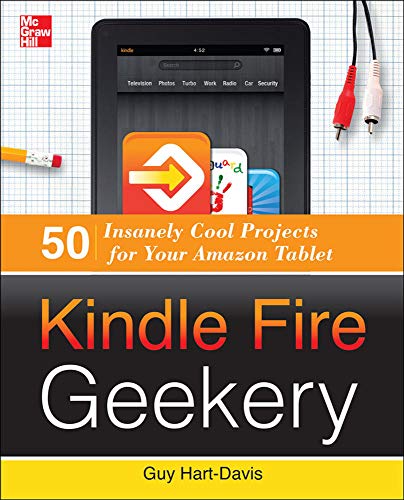
This is a well written guide to doing slightly more unusual and advanced things on your Kindle Fire. It's in the style of the '...For Dummies' series, with a near-identical layout - black and white text, plus black and white pictures and screen shots. The cover is depressingly drab, right down to to the mock graph paper background presumably for that techno-geek feel.I didn't get that excited by the music/audio section as though there were lots of clever suggestions for copying, converting and transferring music files, I don't think the Fire will be most people's number one choice for portable audio - the iphone or ipod are still better for that due to their more diminutive dimensions. Video tips didn't do it for me either - it's fairly straightforward to link into Youtube, iplayer etc, so no revelations there, and I don't expect to be using this device for home movies.However, I liked the rest of the book a lot. Some great tips for speeding up use of the keyboard (ie typing and punctuation short cuts), invaluable info about the different types of ebook file and how to convert between them (I never even knew half of them existed!), plus how to access android apps not in the Amazon store, and freebies like classic books.The guide is very US centric and not everything outlined will be available to UK users - thus this book doesn't yet merit a 4 or 5 star rating. But instructions are clear and easy to follow so what is relevant is actually 'doable'.
D**T
Horses for Courses
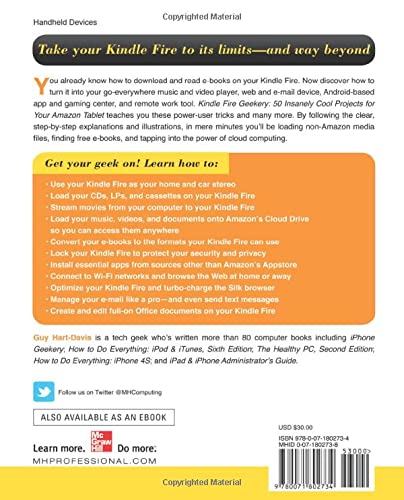
I am awestruck at the huge number of functions that may be coaxed out of the Kindle Fire appliance, but as a Luddite I am disheartened by apparent complexity. The worth of `Kindle Fire Geekery' is dependent on the technical ability of users and their desires. Perhaps I should have heeded warnings in the `Introduction' stating that unlike other Kindle Fire publications this one assumes readers already know not only how to read books on their Kindles but also how to browse the Web, install apps etc. Furthermore it is worth noting the publication is limited for the UK version as opposed to USA, and is not for the HD appliance.Instructions appear straightforward and illustrations are helpful but as far as the 50 projects are concerned it is `horses for courses' - the value of `Kindle Fire Geekery' depends on how much users wish to take advantage. There are 5 chapters: `Music Geekery' with 8 projects, `Video Geekery' with 5 projects, `Books Geekery' with 9 projects, `System and Apps Geekery' with 18 projects and `Kindle Fire at Work Geekery' with10 projects. At the lowest level the projects deal with basic understanding and explanation of how the Kindle Fire supports functions, but at the top end the projects are complex and intricate. It is worth noting some high level projects may conflict with security measures - and Luddites like me are at risk!I raise a few questions to allow readers of this review some insight as to content of `Kindle Fire Geekery'. OK I want to use e-mail but do I really need to know how to add and remove additional e-mail accounts? I'm quite happy with USB for transferring data so do I want to bother with setting up for WiFi? I only want to use the Kindle Fire as a book reader so is there any point in using a project to read books on my computer? OK it's nice to be able to import music from my CDs but why use the Kindle Fire as a house or car stereo? It should now be obvious that someone like me will dismiss `Kindle Fire Geekery' as a 1-star publication, but there are `geeks' out there who will love to get involved and take all in their stride, and so grant a 5-star rating. Hence my average award of 3-star rating.
P**R
50 tips to get the most out of your Kindle Fire
Although this book is aimed primarily at the US market, I think I'm right in saying that Guy Hart-Davis is English (in fact, he's Adam Hart-Davis's nephew). His book contains some useful ideas, including some gentle hacking ("side-loading" apps from the Google store onto your Amazon-only Kindle Fire, and converting between eBook formats), but nothing as drastic as "rooting" your Kindle Fire (which means breaking in so you can reprogram the device).It also contains some rather tame "insanely cool projects". If, for example, you want to use Netflix on your Kindle Fire, what would you do? Speaking for myself, I'd go to the Apps store and search for Netflix. Which is all you need to do. That's Project 9 in a nutshell. Similarly, the project where you "Turn off One-Click Buy" (Project 31) is a little basic for my liking.A fair bit of the content of the book is explaining how to do quite basic things like setting up your email accounts. A fair number of the projects consist of telling you what apps in the appstore you might find useful. And some ("Read your Kindle Books on your PC", Project 22) have nothing to do with your Kindle Fire at all. Incidentally, Project 21, "Read Your E-books in the Bath - Safely", has a paragraph entitles "What to Do When Your Kindle Fire Gets Wet". Perhaps it's not so safe to take your Kindle into the bath after all.There's nothing insanely cool or about living life on the edge in this book. It's a collection of useful tips to get the most out of your Kindle Fire (or Kindle Fire HD: most or all of the tips apply to both). And when you view it as that, it's a fairly useful and informative read.
L**R
Some useful information clearly laid out
Although the title suggests that this book is intended for users of the Kindle Fire, much will also equally apply to the HD version.The book is a mix of plain information, including the basics such as supported eBook and media formats, things to do and ways to improve usability of the device. Included are sections relating to music, video, books, the system and apps, and using it for work or business. In many respects, this is the manual which should be offered with each device sold rather than the multi-fold card with very little more than Getting Started advice. In total there are 50 separate projects within the categories listed and some of these are multi-faceted, so that there are rather more ideas in the book than the title will have you believe.It is impossible to say whether it answers every question yet asked or likely ever to be asked by users, it certainly tackles most and includes recognition and advice about what to do when the device locks up and becomes unresponsive. I don't yet own one of the new Fire devices, but others in the family do and are very satisfied with it. The book was obtained in order to resolve some questions not previously answered.Not a large book or expensive, it is a must have for any who owns or is considering purchase of any of the Kindles Fires.
A**C
Some useful information, but not a great book
As has been said before in previous reviews, this book is not UK specific. This means that some things that a Kindle Fire in the USA can do, a Kindle Fire in the UK cannot. You would need to ask Amazon about that, because I simply have no idea why that should be the case.Setting that aside, my overall impression of the book was one of fair value for money. I wouldn't say that the book contained any "insanely cool projects" but I wouldn't dismiss it out of hand as useless either.For someone who has been around computers and tablets for a few years, an awful lot (if not most) of the information in this book is already widely known.It is an exercise in 'information gathering' rather than something amazingly new and unheard of. Most of the information in the book is either to be found on the internet, through forums or would come under the heading of 'common sense'. For example; turning down the screen brightness on your device will make the battery last longer.That said, if you wanted a simple to follow and fairly comprehensive guide to a new tablet, then this book is worth considering.It does have the advantage of bringing a lot of useful information together in one place - and there is some useful information on eBook and audio formats - and a new user might consider it good value for that reason.
TrustPilot
1 周前
1 个月前