We remain fully operational. Our teams are working around the clock to ensure your deliveries continue safely.

下载应用程序


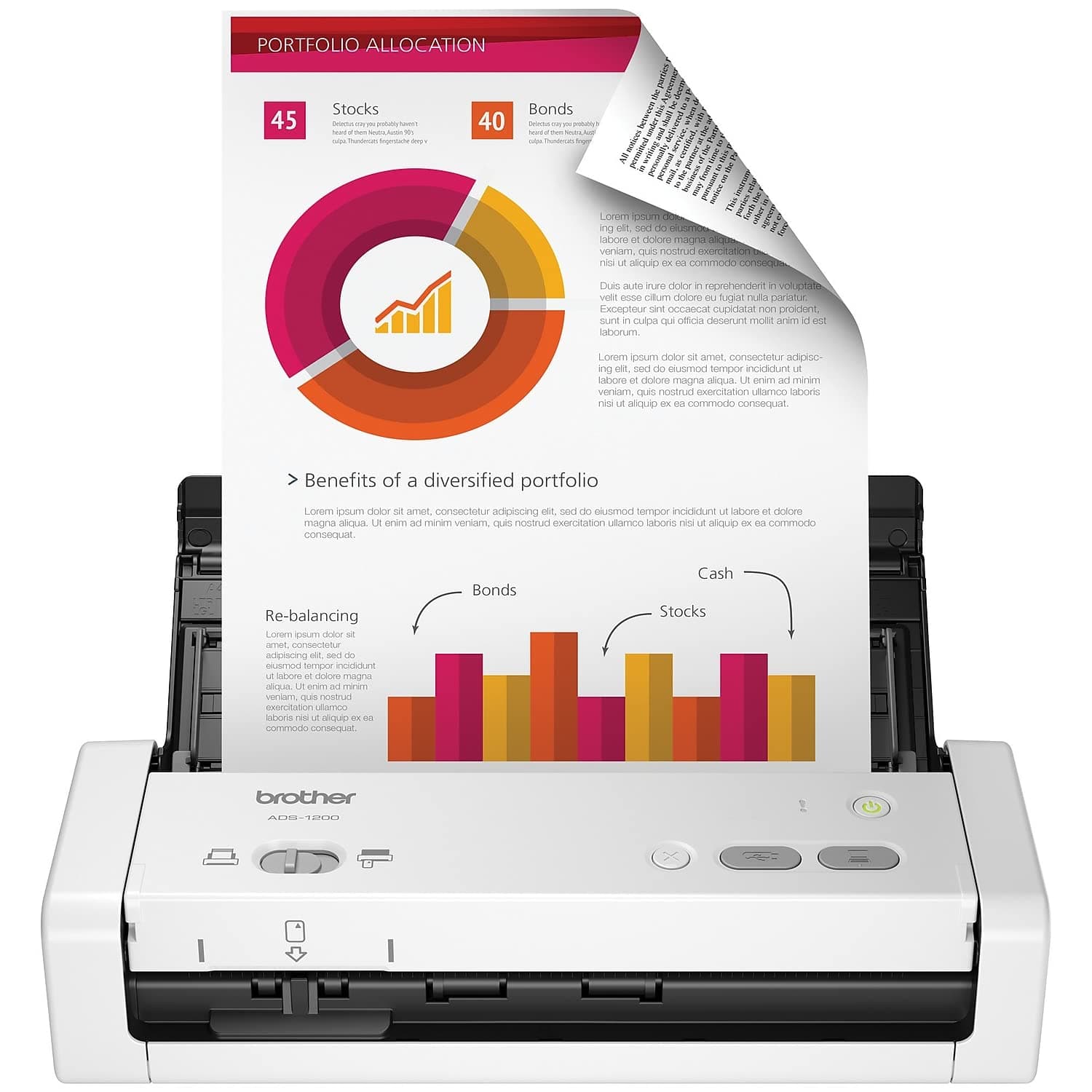

⚡ Scan smarter, faster, anywhere—your desk’s new MVP!
The Brother ADS-1200 is a compact, USB-powered desktop scanner designed for busy professionals and home offices. It delivers rapid single-pass duplex scanning at 25 ppm with a 20-sheet auto feeder, supports multiple scan destinations including USB drives without software installation, and enhances images automatically for crisp, professional results. Lightweight and portable, it’s perfect for streamlining document workflows wherever you work.


| ASIN | B07WSJQWVQ |
| Best Sellers Rank | #13,494 in Office Products ( See Top 100 in Office Products ) #13 in Document Scanners |
| Brand | Brother |
| Color Depth | 24 bpp |
| Connection Type | USB |
| Customer Reviews | 4.3 4.3 out of 5 stars (1,621) |
| Global Trade Identification Number | 00012502651956 |
| Item Dimensions D x W x H | 11.7"D x 11.7"W x 3.4"H |
| Item Weight | 3.3 Pounds |
| Light Source Type | LED |
| Manufacturer | Brother International |
| Media Type | USB |
| Minimum System Requirements | Windows 7 |
| Model Name | Old Model: ADS1200 |
| Optical Sensor Technology | CCD |
| Paper Size | 8.5 x 34 inches |
| Resolution | 300 |
| Scanner Type | Document |
| Standard Sheet Capacity | 20 |
| UPC | 012502651956 |
| Unit Count | 1.0 Count |
| Warranty Description | 1 Year Limited Manufacturer |
| Wattage | 8 watts |
A**.
Pretty good scanner. Too early to tell of its performance but its doing great.
I bought this scanner in order to make up for the inconvenience of using my older huge HP-Officejet Pro 8600 All-In-One printer. Its been a great scanner no question about it. But turning it on, waiting for it to warm up, and much of the time turning on my desktop computer, can have its drawbacks. I wanted something that I could connect to my laptop and quickly scan other documents, receipt, etc. I had been 'eyeing' many of these portable scanners via Amazon, most of which had these great reviews. After too much searching did I finally come down to this one which seemed to be the winner of cost and features. Despite the fact that the stupid mailman threw the package over my 7-foot fence and landed on the lawn, this Brother ADS-1200 seems to have worked okay. I am very happy with it and I am very impressed with its convenience and use. Although the Officejet Pro 8600 is still capable of scanning certain types of thicker media this smaller scanner will never be able to, it is the smaller receipts that this little one will not be beat. That older 8600 has already scanned thousands of items, it is time to give it a break. I am still on the early stages of using this smaller device, I am still learning from it. I mostly use it to scan smaller receipts which do come by the numbers. It will not scan narrow and excessively long receipts which I occasionally do get. These types of longer ones will get jammed and I usually cut them in half or so before I use several utility programs on my laptop to tailor them into a digital 8½ x 11 sheet. Everything so far went well. Some times you will get a lop-sided receipt but I found this freely downloadable Libre Office program having a feature to straighten them up. Although I have read a number of complaints from people buying this ADS-1200, to me I have found none. Interface software was a breeze to install. Again I am still on the learning phase of using this little beast and I will leave updates if necessary. One of things that left me breathless is how fast it scans small stacks of paper. It beats the 8600 Office Jet Pro hands down. Again - still too many features to use and explore. But so far it has been a life saver. Very, very happy with it. I am so glad I bought it.
P**P
used it with a USB thumbdrive, dirt simple and easy!
I bought this for an archival project; cleaning out the wife's parents' house and had boxes and boxes and boxes of pictures and documents that needed scanning. I was not looking forward to clicking a mouse the (literally) thousands of times it was going to require to run a scanner application on a laptop while going through these boxes. This scanner lets you run it without connecting to a computer! Insert a blank thumbdrive in the back, place the picture on the tray (face down and upside down / top first), and hit the scan button. It scans both sides of the picture including the writing on the back and stores it on the thumbdrive as a PDF. Every PDF file name has a 5 or 6 digit counter, so there's no typing filenames and there's no clicking of a mouse a dozen times. It figures out the edges and crops the scan properly all on its own! If the back of the picture is blank, it makes a 1-page PDF; if it has writing, it's a 2-page PDF. This past weekend my wife and I took this scanner to her parents' house and we set up a sort of assembly line in the garage with all the boxes, and this scanner, and she and I scanned over 4000 pictures and documents in an afternoon! Insert, scan, next pic. Insert, scan, next pic. I stopped after a dozen, and put the thumbdrive in the computer to see if it was going OK, and the PDF scans looked PERFECT! So we did the rest. Later I used the "convert" utility from ImageMagick to extract JPGs from all the PDFs, and they were great quality. It's nice to have those thousands of pictures archived for all time. The scanner worked perfectly!
N**L
Easy to Use Compact Duplex Scanner
This Brother scanner is a not a flatbed. The model I got allows one pass full duplex scanning of multiple pages. There is a cheaper single page model and a more expensive wireless model. It does NOT come with software. You must go to the provided URL to download and install it. Installation and setup was easy. It works exactly as described. You need an available USB port to connect to your PC. You can save your scans on your PC or network, or even to a USB flash drive on the available data port. My only complaint is that there is no slide out extension to hold pages for feeding the scanner. This is a minor issue. This device is fast, easy to use, and produces quality images or PDFs. It does have include app software - I like the Kofax Power PDF Standard. It also has a very small footprint. It packs a lot of power in a small device.
T**Y
This little guy is a speed demon! So fast, so small, and 2-sided? Yup.
So surprised at how fast this little guy is. I previously used an HP multi-function ink-jet printer/scanner until it died. Recently bought an amazing Canon printer so needed a simple scanner. Setup was a piece of cake -- just plug it in and downloaded their scanning app. Didn't even know it did two-sided scanning, what a bonus. The only detraction (albeit a tiny one) was that it would not let me cut/paste filenames before saving in the dialog box -- I like to name files clearly (i.e. long file names), and sequentially (like Part 1, Part 2, etc.) and in order to do it quickly I had to do it in the Mac Finder after scanning. No way was I typing each filename individually again. Anyway, only used it once but based on first impressions, it's a tiny powerhouse for a small amount of $$$.
D**A
Me gusta mucho por su practicidad y tamaño. Fácil de llevar y la impresión de cada hoja es nítida. Recomiendo al proveedor.
R**V
The product was of genuine and good. and the support services from the seller were very much appreciated.
S**W
Disappointed with Amazon's lack of follow up
L**U
Me gustó, probé varios y creo que es el más simple de instalar el programa en tu PC o en tu lap.
V**L
Cumple con mis expectativas, es facil de usar, rapidez en el escaneo, buen equipo.
TrustPilot
2 个月前
2 周前