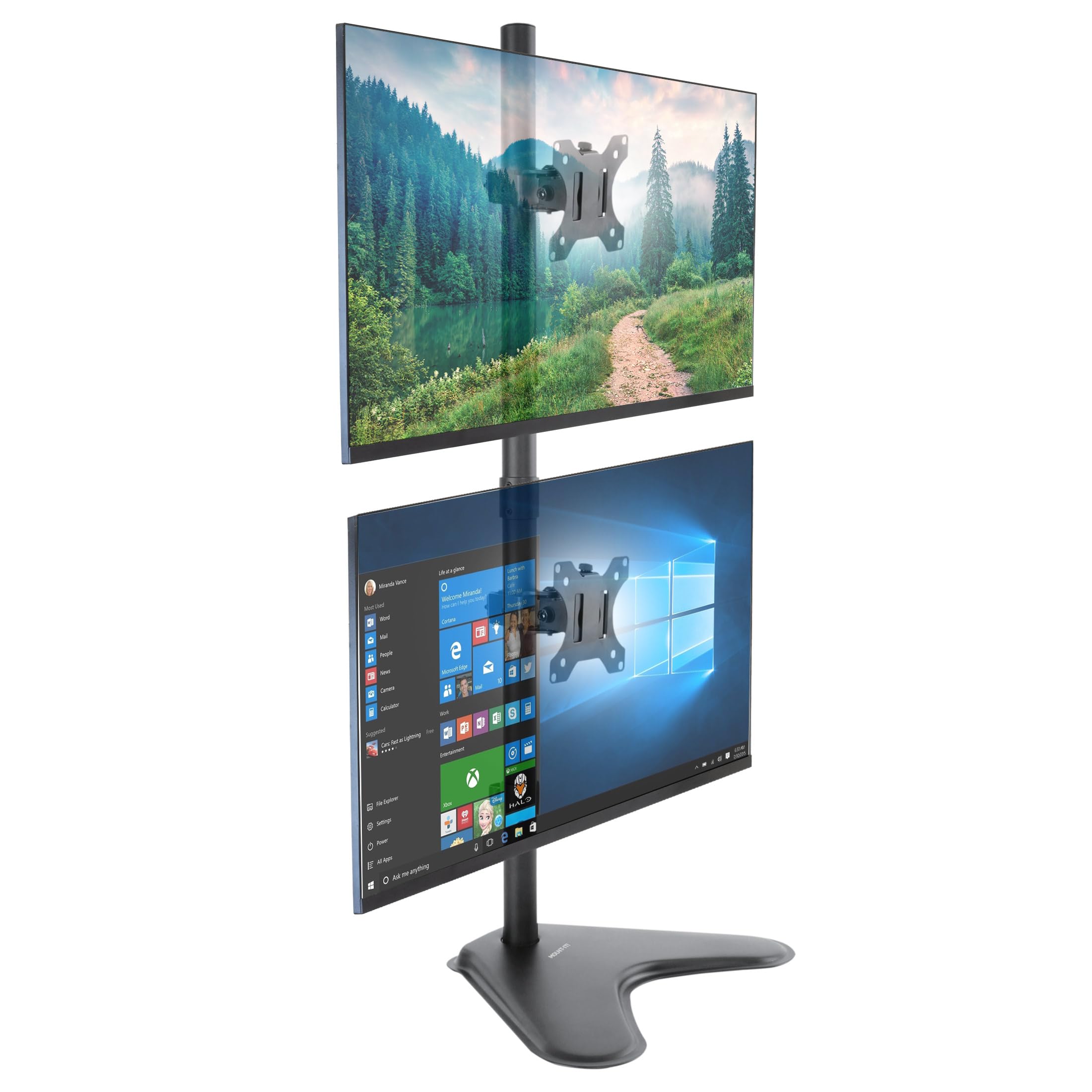
🖥️ Elevate your workspace, stack your success.
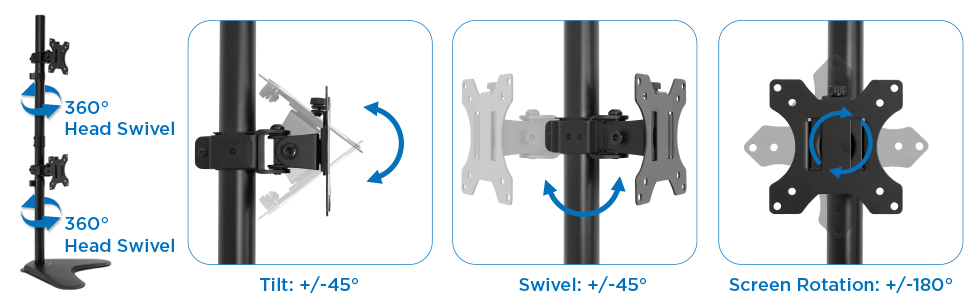
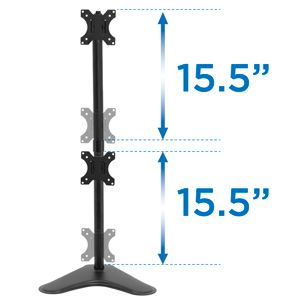
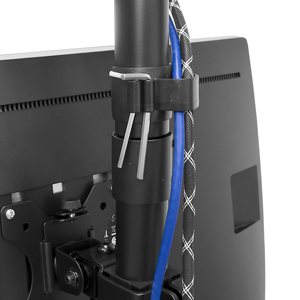
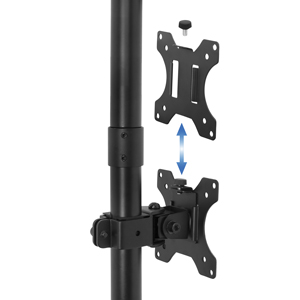
The Mount-It! Vertical Dual Monitor Stand is a robust, height-adjustable freestanding mount designed to stack two 13–32 inch monitors weighing up to 17.6 lbs each. Featuring full ergonomic adjustability with tilt, swivel, and rotation, it maximizes desk space while maintaining stability with a heavy-duty base and integrated cable management for a clean, professional setup.







| ASIN | B07S6CRXVY |
| Best Sellers Rank | #294 in Computer Monitor Stands |
| Brand Name | Mount-It! |
| Color Name | Black |
| Customer Reviews | 4.5 4.5 out of 5 stars (205) |
| Date First Available | September 13, 2019 |
| Item Weight | 9.77 pounds |
| Item model number | MI-1758 |
S**M
Solved my space issue, strong and stable.
Great stand! Working with engineering software, I needed multiple monitors but had limited desktop space. This stand resolved all the issues. Sufficiently strong, doesn’t even rattle in moderate earthquakes. Makes my desktop appealing.
W**E
great stand
great stand, easy to put together. Works great with limited (left/right) space. I recommend for my monitors.
M**R
Strong enough for 27-inch monitors
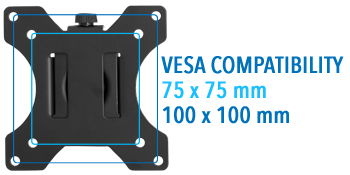
The stand was easy to assemble. That took about 15 minutes. Put the VESA plates/clamps on your monitor, then onto the pole and slide both monitors into place. The base is heavy and the properly assembled pole is very strong and can accommodate large monitors. I have two 27-inch Acer monitors on the monitor stand with a little bit of pole sticking above the top monitor. You must carefully read and understand the instructions before starting assembly! WARNING: 1) The coupling that joins the two poles into one unit has two tiny screws that need to be loosened before screwing in the two poles, then must be tightened before attaching to the base. This step is not part of the instructions. Beware! WARNING 2) There were three hex wrenches included with the monitor stand. There should have been a fourth so I had to use one of my own to adjust some screws. You’ll also need your own Philips screwdriver to affix the VESA plates as one isn’t included with the stand. WARNING 3) The screws that adjust the tilt and side-to-side angles of the VESA plates are very difficult to loosen and tighten, especially if you have arthritis in your hands and wrists. However, the screws that hold the clamp/VESA plates in place on the pole (height adjustment) were not difficult to tighten and loosen, I discovered. WARNING 4) Be careful with the screws that hold the VESA plate to the monitor. Make sure that they’re not too long. Too-long screws could pierce the monitor innards, rendering it inoperable. Gently experiment with the screws to find which size fits, and use the provided washers and spacers if needed. Now you have everything you need to know about assembling this dual monitor stand.
B**N
Wonderful!
Yes the instructions aren't great but if you can build ikea furniture, then this is a piece of cake to assemble. Note- The joining piece for the two poles may have a screw or both "screwed" in. This makes it not possible to connect until you remove the screw(s). Once together then put them back in to secure the pole. Other than that just follow the guide and look at the pictures. They give you tons of screws which I'm not certain why but then ikea does too. I'm buying another one.
B**R
Big and sturdy
This is a big, sturdy stand. It is happily holding 2 16x10 24 inch Dell monitors one on top of the other, which is what I needed for this application.
B**R
Great stand
I was worried about going vertical but it really is a better move for space and ease of use for a second monitor. Also, I saw some negative reviews about sturdiness - during assembly there is a joining piece between the two metal poles. This piece has two screws that MUST be loosened before you screw the two metal polls together using it. THEN you must tighten those screws again. The directions DO NOT mention this. If you don’t do this, the two poles will not be snug or secure and will create the issue that people have experienced that made them return it. If you make sure you follow my advice this is a 5/5 product.
A**S
Really great if you want to use multiple monitors
I used this stand because I have 3 monitors on my desk and I really like this stand
D**E
Sturdy and Adjustable
This monitor stand was very quick and easy to put together. I was able to put both of my 24" monitors on it and align them the way I want so that I can easily view both monitors. I was concerned that with the weight of two monitors, it might be wobbly, but it isn't at all. I'm impressed with how sturdy it is.
K**O
good
I**Z
Excelente Producto
L**S
Ist ok
TrustPilot
2 周前
4天前



