We remain fully operational. Our teams are working around the clock to ensure your deliveries continue safely.

下载应用程序


Buy anything from 5,000+ international stores. One checkout price. No surprise fees. Join 2M+ shoppers on Desertcart.
Desertcart purchases this item on your behalf and handles shipping, customs, and support to SINGAPORE.
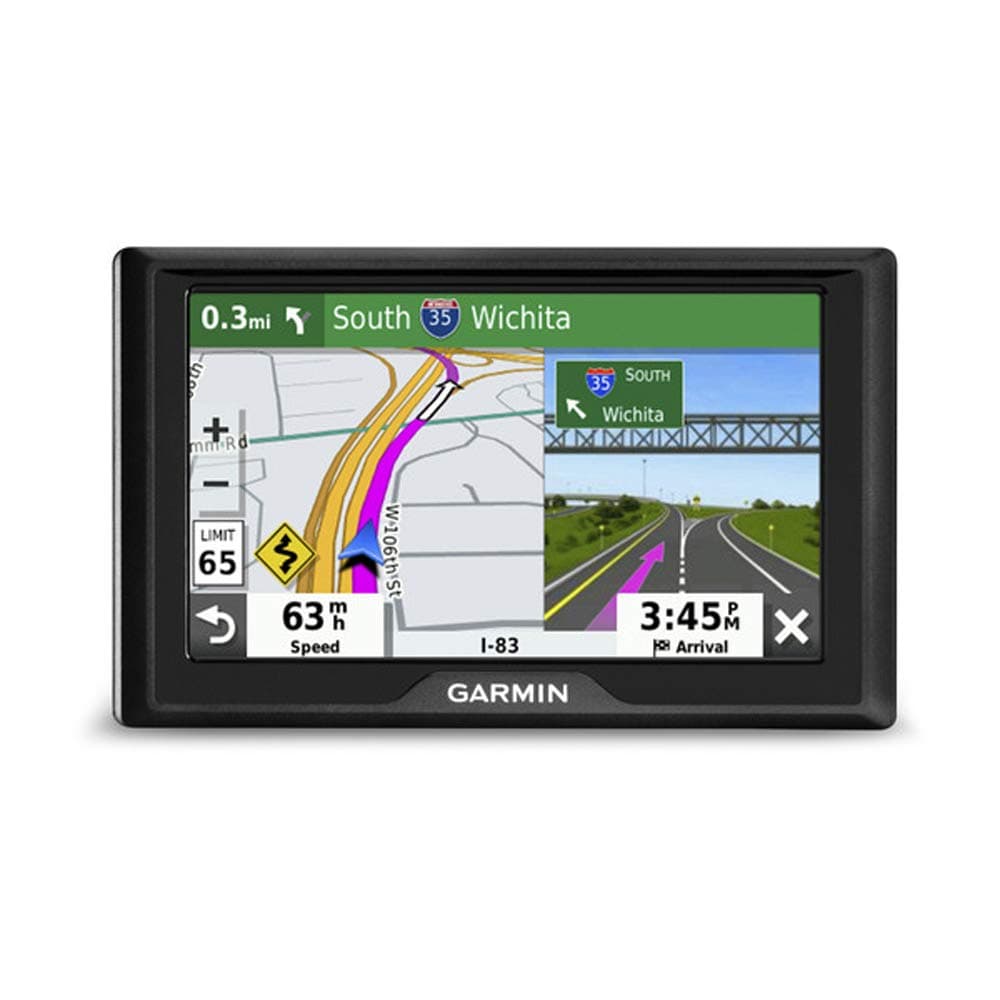
🚗 Navigate smarter, drive safer, and never miss a beat on the road!
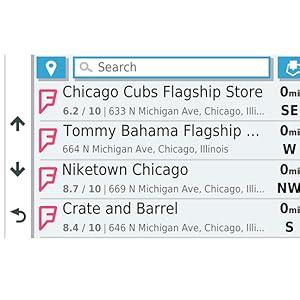
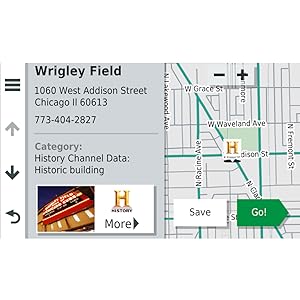
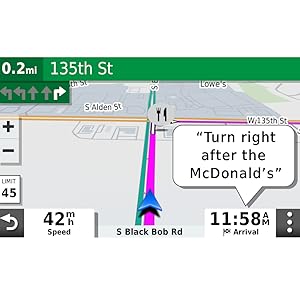
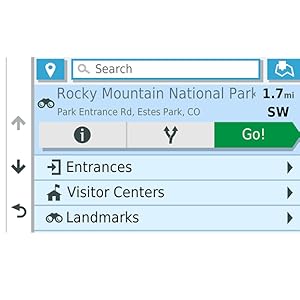
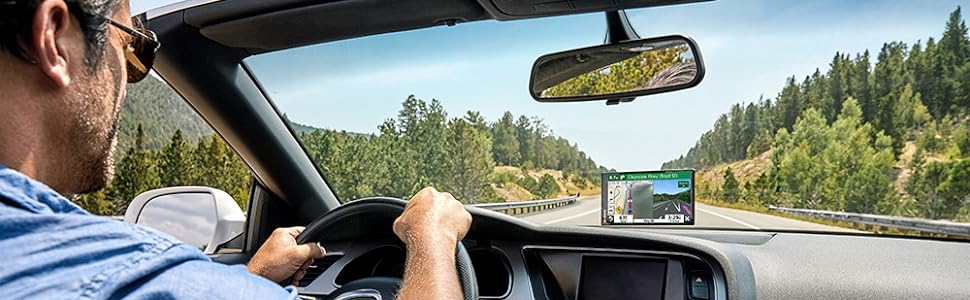
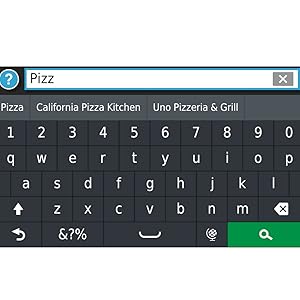
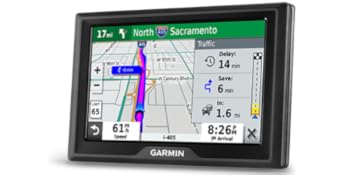
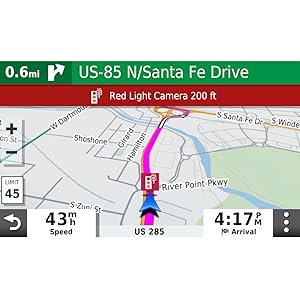
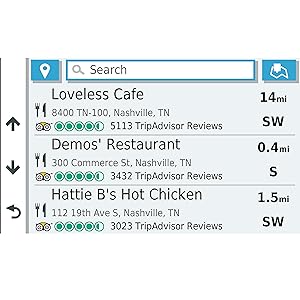
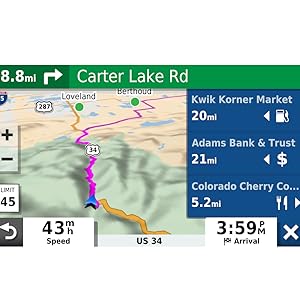
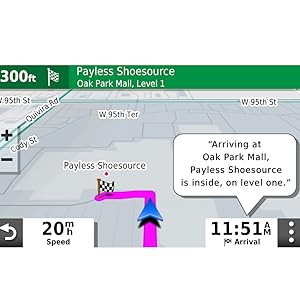
The Garmin Drive 52 is a sleek 5-inch touchscreen GPS navigator preloaded with detailed US and Canada maps, offering easy-to-use menus and bright, clear visuals. It features smart driver alerts for speed limits and hazards, plus live traffic updates without requiring a smartphone connection. Perfect for daily commutes or epic road trips, it includes access to historic sites, national parks, and millions of points of interest, making every journey informed and stress-free.

| ASIN | B07MMZNLHG |
| Additional Features | Touchscreen |
| Are Batteries Included | Yes |
| Audio Output Mode | Mono |
| Battery Average Life | 1 Hours |
| Brand | Garmin |
| Built-In Media | Garmin Drive 52, vehicle suction cup mount, vehicle power cable, USB cable, quick start manual |
| Compatible Devices | Smartphone |
| Compatible with Vehicle Type | Car |
| Connectivity Technology | USB |
| Control Method | Touch |
| Customer Reviews | 4.4 out of 5 stars 18,671 Reviews |
| Display Type | WQVGA color TFT with white backlight, resistive touch |
| Global Trade Identification Number | 00753759211776 |
| Human-Interface Input | Touchscreen |
| Item Dimensions L x W x H | 6.18"L x 4.33"W x 2.78"H |
| Item Type Name | Car GPS |
| Item Weight | 0.85 Pounds |
| Manufacturer | Garmin |
| Map Types | City Tour, Street |
| Model Name | Garmin 008-04-0713 |
| Model Year | 2018 |
| Mounting Type | Suction Cup Mount |
| Operating System | Windows |
| Resolution | 480 x 272 |
| Screen Size | 5 Inches |
| Special Feature | Touchscreen |
| Sport Type | Snowboarding |
| Supported Satellite Navigation System | GPS |
| Touch Screen Type | Resistive |
| UPC | 753759211776 |
| Vehicle Service Type | Car |
| Warranty Description | 1 year limited warranty |
B**Y
Invaluable piece of kit - I live in the UK and needed it for travel in USA/Canada
Really excellent piece of kit that proved totally invaluable for our trip from the UK to Canada. After years of working from paper maps and internet screen shots - we rented a vehicle in Florida (back in 2019) that came with a dash mounted Garmin as a free upgrade and immediately realised it was taking a huge amount of stress and pre-planning away from us. Post pandemic and travelling again I decided to buy this unit to make life much easier. Living in the UK - I was able to order this GPS (SatNav) on Amazon.com (rather than Amazon.co.uk) and have it delivered to me in the UK direct from the USA. It is a great sized unit that is very very easy and intuitive to use and for the driver to see and read as you are driving. Like all GPS (SatNav) units it can very occasionally get small things wrong - but 99.999% it was very accurate. Anyone travelling to Canada - be warned that mobile/cell phone costs in Canada are unbelievably high - therefore EVEN with a USA/Canadian sim card in our phone - it would have cost a fortune to buy enough data in Canada (not necessarily the same in the USA which had much cheaper mobile/cell phone charges) to use a smart phone as a GPS/SatNav. Therefore we found it much more cost effective to buy the GPS/SatNav outright and it will work for years for future visits. One last thing about this model - after doing loads of research online - it tells you that this model is designed to work in tandem with a connected mobile/cell phone in order to receive traffic updates. It tells you this model works perfectly well as a GPS/SatNav on its own - but will not give live traffic updates without a connected mobile/cell phone - I considered this before buying - but decided that route guidance was enough and more important to me that anything else. HOWEVERE - after arriving in Canada - this device WAS giving us live traffic reports and rerouting to take the least congested routes - and we did NOT pair it with a mobile/cell phone - but still received live traffic reports. Great unit - Highly Recommended
D**7
Beautiful Screen, Amazing Features (Ex: Beep at 5-MPH- OVER the Speed Limit), Finds 98%
I got this when I started a pizza delivery job. I drive 75% in the city and 25% in the country (Southern Illinois). I LOVE the subtle-ding the Garmin gives me when I hit 5mph over the speed limit (optional feature I enabled). It also displays the speed limit in most cases. The Voice Recognition is roughly what I expected. If I could rate the voice recognition on a 1-100 scale, I'd give it a 87. It recognizes well used streets well...but not quite as accurate on lesser known or said streets (or streets that could easily sound like something else). I always turn off the radio when I speak to allow it to hear me better. (But in most cases it can recognize with the radio on low). The SPEED at which I speak to the Garmin is Roughly 10-15% SLOWER than the Normal/Natural rate I would use if I were talking clearly to a Person. This seems to make it easier for the Garmin to read...But it could be slightly irritating to the impatient. Also the SPEED at which the Garmin Speaks to me (after I speak to it) will say something like, "Did you say, '123 Park Street".....Then I'll reply, 'Yes'....then then Garmin will say to me, 'WIll you like to begin Navigation', then I'll say, 'Yes' then it'll Beep/Chirp and say, 'Please Drive to the Highlighted Route'.... The conversation of the paragraph above could be better....and could be worse....Once again (I only use the voice activation if I sense that it's an, "Easy' Street for it to recognize like Main Street or Park Street...not 'Chataqueaua Street' (That it mistakenly thinks I said, 'Choctaw Street' as an example) It finds roughly 98% of the addresses I look for. Usually is it doesn't find it...its because it's a new subdivision or street. It also occasionally happens when when it's WAY out in the country. Despite me griping about a few things...I only do so to highlght what I've noticed. Overall it not only have achieved my expectations...but it slightly exceeds it (Minus the voice activated aspect/Which I'd say it only reached my expectations) The other thing I'll say I love...Is How/When the Garmin decides to zoom in on the screen/Zig Zag Pattern of the Road as you get CLOSER to the destination. AS you get closer to the destination the Garmin Zooms in on the REMAINING portion of the route which REALLY helps out on knowing what to expect further down the road. My lights are about to be replaced (Older Mini-Van) BUT...If I were driving in the country (Little to No Street Lights)...It is a LIfesaver to be able to SEE/KNOW sharp curves ahead of time by looking at the Garmin. Also...if you're in an older part of town (With a lot of one way streets)...It's nice to have an audible voice Warn you as a backup, "You are going the WRONG way down the Steet"...Haha Things that could be better...And it could be worse: The ability of the Garmin to find the exact apartment number (In an apartment complex/Mobile Home Community). If I could rate that on a 1-100...I'd give it only a 35. (Granted it's not something they claim to have) Small gripe I have. I drive a GM vehicle and I have to sometimes turn the headlights on/off twice before my headlights go off...Sometimes when I do this the Garmin will say, "Say a Command" and while it's speaking it sounds like somebody pulled the plug on it WHILE it was speaking...it sounds a little harsh WHEN this happens (Which isn't ALL the time/But it DOES happen occasionally). It's not something that can't be dealt with (and isn't Too loud...but it's slightly irritating when it happens) If Garmin could eventually master knowing all the apartment numbers/mobile home communities and on which face/side of the building they're located on...it'd make things MUCH easier though (Delivering Pizza's). Believe it or not....Sometimes it takes less time to get to an apartment complex vs finding the right building. Less people have addresses well lit/Visible on their homes/mailboxes than you'd think. Overall I'm VERY happy with the purchase. On the rare 2% of the time I couldn't find an address....my cellphone would always get me there. **Also, I bought the Backup Camera from Garmin** It's DIRT-Simple to install (A child/elderly person) could install it themselves unassisted. The 2 Lithium AA batteries I purchased (**NOT**-Included-by-the-Way)...lasted Roughly a month (Jan-Feb 2020).
F**R
Good unit for the money
Great unit. Works perfectly. I didn't realize that it didn't have voice command so it got 4 stars. But that's my fault. It works fine, so I will do things all manually.
E**N
I like it, much better than the older Nuvi's
I ordered this Garmin Drivesmart units last week. The truck has android auto built in, but it is always very buggy and takes quite a bit of time to connect. It also can hang up and nothing displays on the screen. I got tired of that and got this uniti instead. It has lifetime maps and traffic. It can also link to the phone for calls and texts, but I can still do that through the head unit and bluetooth. Has Wifi built in and it downloaded a map and system update when I first plugged it in. I really like this GPS so far, display is very crisp and updates while driving are fast. Traffic works well, requires you to use the Garmin Drive app on the phone, but they dont charge you for it. Not as integrated as something like Waze, but not bad for showing slowdowns, school zones or red light cameras. I'm using an aftermarket mount to stick to the windshield and move it closer which seems to work well so far. Once you are in the where to screen, all you have to do is say "Hey Garmin" and it immediately responds. All the acceptable commands are already on the screen as push buttons, so all you have to do is say find address or whatever. You don't have to remember what phrase to use, they are right there. I rambled off a few addresses from memory and it displayed the correct address as the first in the list. Once you are in a navigation mode, it always responds to hey garmin. Honesty, it is so much easier and intuitive than the phone and all the apps and much easier than the older units where you first have to enter state, then city then address.
D**R
new high resolution screen is worth the extra money
My old Nuvi 1450 has been often refusing to boot up, and I first bought a Drive 61 as a replacement. The screen was terribly washed out and hard to see in the car, even with brightness turned up to 100%, so I quickly returned it. The Drive Smart 65 is a huge improvement (as it should be for $100 more). The higher resolution screen (1200x720 vs the Drive 61 res of 480x272) yields a screen image that is crisp and clear at 50% brightness. Larger screen is great for tired old eyes, and if take care positioning it, your view will not be obscured. As others have noted, if you use a generic cable and charger rather than the Garmin supplied car charger, it will boot you up into computer mode instead of driving mode, unless you are quick to reset the cancel button. Garmin Express is very buggy and it took a while for it to recognize the DS65, but then it did an update in about 1 hour and transferred my saved places from the Nuvi 1450 to the DS65. You can also do the update over wifi, though I did it over cable in case of signal drop (since the instructions warn you that if the update is interrupted, the device could become unusable!). Pairing to iPhone for instant traffic was easy after downloading the app. Have no need for the voice functions and have not tried them. Overall, a good purchase that has restored my waning faith in Garmin. I use Google maps (via Apple Car Play and iPhone) when in a city with good cell reception but satellite obscuring buildings (eg, no Garmin signal in mid/lower Manhattan), but on the open road (often with spotty cell reception), I prefer a dedicated GPS.
M**O
Excellent GPS with Clear Display
The Garmin DriveSmart 65 has been an excellent GPS. The large 6.95" screen is clear and easy to read, and the directions are accurate and reliable. I really like the voice-control feature, which makes it convenient to use while driving. It updates quickly, finds routes fast, and overall works smoothly every time. A great GPS that does exactly what it should.
C**.
A Good Resource to Have Onboard
I knew nothing about Garmin till I used this Garmin Drive 52 for the past two weeks. To be clear, I suspect they offer more advanced features on the upgraded devices. I still need to explore the settings where I can tweak the routes results, I suspect. In regard only to my experience so far with this entry level Drive 52, I find it kind of like running an old Atari video game. I'd almost consider this a good toy for a preschooler these days. I guess that means it's easy to use. Having said that, this Garmin Drive 52 has gotten me out of a couple of jams, and for that it deserves 5 stars. There are too many new roads, highways and addresses being built in Florida for the Garmin updates to keep up. With completely updated maps, this device does not know where to go, a lot. It will take you to construction zones and closed roads where the Google option is smarter. But, again due to the growth, there are certain areas I just can't get connected to a cell tower to start the GPS signal on my smartphone. So, moral of the story, no brainer to carry this inexpensive navigation device as it will help you out of a jam once in a while. Overall, I like it a lot. It compliments and provides certain helpful tidbits and features. But the voice instruction is sometimes slow to evolve and adapt and does not give enough heads up to make a turn on occasion. Bottom line is, if driving professionally, you need multiple options on board because when you don't know where you are and the navigation shuts down, better have a map downloaded to your device and a compass. When the data runs out on this Garmin it's like the whole world melts away, like when I drove to the northern newest ends of one of our ever-expanding highways down here. Updating the maps with the most current data is easy enough through an app on your computer with the provided cable for the purpose. I have more peace of mind, hundreds of miles away from home, with this Garmin Drive 52 onboard than without, so I definitely recommend.
J**T
I hate the Garmin Drive 52 - BUY A MICRO SD CARD IF YOU PLAN TO DO UPDATES
Update: I used my phone and the Garmin at the same time on my trip to SC and for the first three hours, both gave the exact same directions, but as expected, once I got to the part of I40 that was closed, my phone knew to go around the closure and the Garmin tried to send me directly through it. I had the map up on my phone and the Garmin and I could see the Garmin wasn't routing me around the section of I40 that my phone showed was closed. Before I pulled up the maps, the Garmin was showing a shorter drive than my phone and I was hoping maybe it knew something my phone didn't (sometimes Google Maps doesn't always send you the quickest way), so I skipped the exit my phone was telling me to take, but after that exit, it was just me and one other truck on the highway - everyone else had already gotten off the highway and I started to get nervous so I looked at the maps and took the next exit my phone told me to take, even though the Garmin was still telling me to stay on the highway. Even after I exited the highway, the Garmin was telling me to turn around and get back on the highway and it kept telling me to turn around for a while. By skipping the first exit, it ended up adding time onto my drive b/c I had to get back to the detour route. If I only had the Garmin, I'm curious where it would have taken me and what the route would have looked like. I turned the Garmin off once I realized it kept wanting me to turn around and get back on the highway and I only used my phone on the way back from SC and my phone worked perfectly. I'm confident the detour my phone sent me on was the correct way to go because it was a lot of one lane (each way) back roads and there was lots of traffic on those roads. Original review: I'm enraged right now. I have a last-minute unexpected trip coming up and my phone was spotty the last two times I needed to use it for GPS so I thought I would be better off buying an actual GPS unit. I'll be driving by myself this time and can't depend on someone else's cell phone like I did the last two times. Of course, I looked at a ton of GPS units and decided on this one partially because of the brand name, partially because of the reviews (on multiple sites, not just on Amazon) and in big part, because they make a big deal of saying it's ready right out of the box. That was important to me because a lot of the other/cheaper units I looked at needed a separate SD card and needed updates right out of the box, etc. This was an unexpected expense, and I'll hardly ever use it, so I really didn't want to spend a bunch of money, but in the end, I decided it would be worth it to spend more and go for a name brand unit. I thought it would be better quality and more reliable. So anyway, the GPS arrived yesterday, and I was excited to look at it and get it setup and make sure I was good to go for my trip. Imagine my frustration and honestly, panic, when I put my sister's address into the GPS, and it couldn't find it. What the heck. The sticker on the GSP says there may be updates available online, so I hook it up to my computer and look for updates and sure enough there is an update available. Great, I start the update. OH WAIT. NOPE. You need a micro-SD card bigger than 4 GB but no bigger than 32GB in order to do the update. WTF. I specifically looked all over the listing to see if I needed an SD card b/c so many of the listings for other units needed one. I didn't see anything that said I would need an SD card. So, I had to go to Walmart the Thursday before Christmas (might as well be in actual hell) to get this stupid SD card. Got the card, did the update, which thankfully was very fast. The update says it can take a few hours, but it only took a few minutes. I have no idea what the update did. It STILL can't find my sister's address. I used my hotel address instead and it found that, but I have to drive through TN to get to SC and the GPS is trying to send me through the section of I-40 that's closed because of damage caused by Hurricane Helene in September. Google Maps says that section of I-40 is closed until 2028. It's been closed for a while now, so how is that not updated on Garmin's maps. Thankfully I've made this drive a few times before, so I know the drive is usually around 5.5 hours and when Garmin showed me a route that was 5.5 hours, I knew that was the original route, not the route detouring around the closed section of I-40. Google Maps and MapQuest show 6.5 hours, so they're both accounting for a detour. So anyway, I absolutely hate this GPS and I'm panicking about having to rely on this for my trip, but I don't have time to buy something else. Maybe my expectations are too high since I'm so used to using Google Maps and haven't had an actual GPS in a very long time. On Google Maps, I love that I can switch between the map and reading the directions so I can get an idea of what roads to be looking for, etc. Obviously, I don't do that while I'm driving, but I don't see an option to do that on this GPS so that's frustrating. Maybe you can, I need to keep digging around. Also, the other person who wrote about the cord being extremely short is absolutely correct. The cord for the car is fine, but the one you need in order to plug into the computer or into the wall is extremely short and you can't use this GPS unless it's plugged in, so I had to mess around with it and look for different addresses and try to change my route, etc., while hunched over 3 inches away from the plug in my surge protector that sits on the floor. Very frustrating. I don't even know if I'm going to take this with me on my trip. I might be better off using my phone since I'm not confident in this GPS at all. At this rate, I don't see how this GPS is better than the $60 random brands.
TrustPilot
1天前
1 个月前